
Anki Alternatives for iPhone (2026): 7 Apps Compared
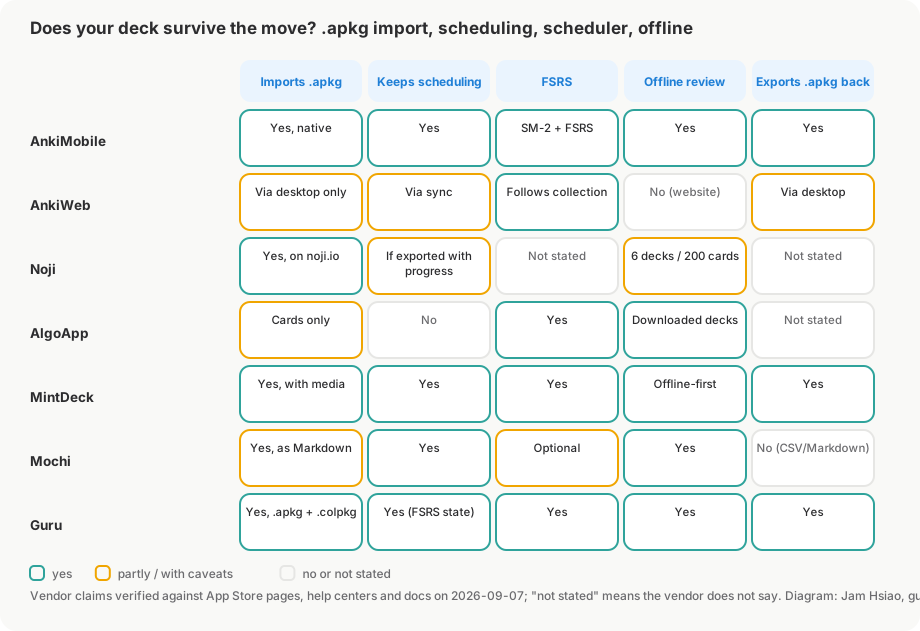
.apkg files but differ on whether your scheduling survives the import, which scheduler they run, and what they charge. Only MintDeck, Mochi, Noji and Guru say they keep review progress from an .apkg; AlgoApp imports card content only. Guru, MintDeck and AlgoApp run FSRS natively; Mochi can switch to it; AnkiMobile supports both SM-2 and FSRS.
What to check before you switch
"Apps like Anki" is a crowded App Store category, and most entries are plain flashcard apps without real spaced repetition. Four questions separate an Anki alternative from a lookalike:
- Does it import
.apkg— and does it keep scheduling? An app that only takes CSV means retyping or losing media. An app that takes.apkgbut drops review history means every card starts from zero — months of lost work on a 10,000-card deck. - Which scheduler? FSRS needs fewer reviews than SM-2 for the same retention (see FSRS vs SM-2). If an app says "our own algorithm" and nothing else, treat that as unknown.
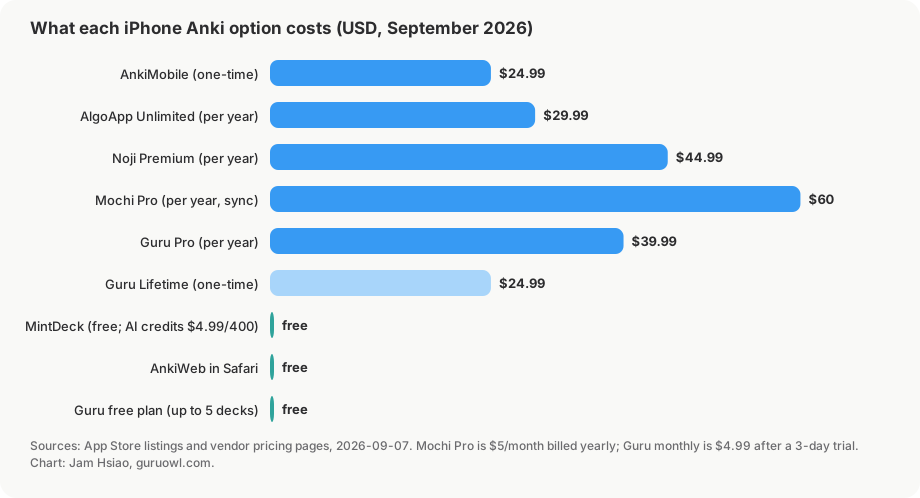
- What does it cost, and for what? What matters is what the paid tier gates: daily review limits, sync, editing, or AI features.
- Does it work offline? "Offline" ranges from fully local storage to a capped download of a few decks.
Prices are US App Store or official-site prices as of September 2026.
Comparison table
| App | Price | Imports Anki .apkg | Scheduler | Offline | Best for |
|---|---|---|---|---|---|
| AnkiMobile (official) | $24.99 one-time | Yes, with scheduling (native format) | SM-2 and FSRS | Yes | Exact parity with desktop Anki |
| AnkiWeb | Free | Via the desktop app, not in the browser | Anki's, configured on desktop | No (website) | Occasional review without installing anything |
| Noji | Free; Premium from $4.99/mo, $44.99/yr, $74.99 lifetime | Yes (.apkg and .colpkg), uploaded on noji.io; progress can be included | Not stated ("enhanced spaced repetition") | Limited: up to 6 downloaded decks, 200 cards each | Community decks and a Quizlet-style interface |
| AlgoApp | Free; Unlimited $9.99/mo, $29.99/yr, $149.99 lifetime | Card content only — no review history or scheduling | FSRS | Yes (downloaded decks) | Cross-platform (iOS, Android, Mac, Windows, web) |
| MintDeck | Free, no subscription; AI credits $4.99 / 400 | Yes, with scheduling and media; exports back to .apkg | FSRS | Yes (offline-first, iCloud sync) | Free FSRS review with audio study; iOS 18+ only |
| Mochi | Free; Pro $5/mo billed yearly (sync) | Yes, including review history; HTML converted to Markdown | Own algorithm by default, FSRS optional | Yes | Markdown notes plus cards |
| Guru | Free import and review for up to 5 decks; Pro $4.99/mo (3-day trial), $39.99/yr, $24.99 lifetime | Yes (.apkg and .colpkg) via Anki's own engine, FSRS state preserved | FSRS | Yes | Big medical/language decks, AI cards from PDFs, Study Lock |
AnkiMobile
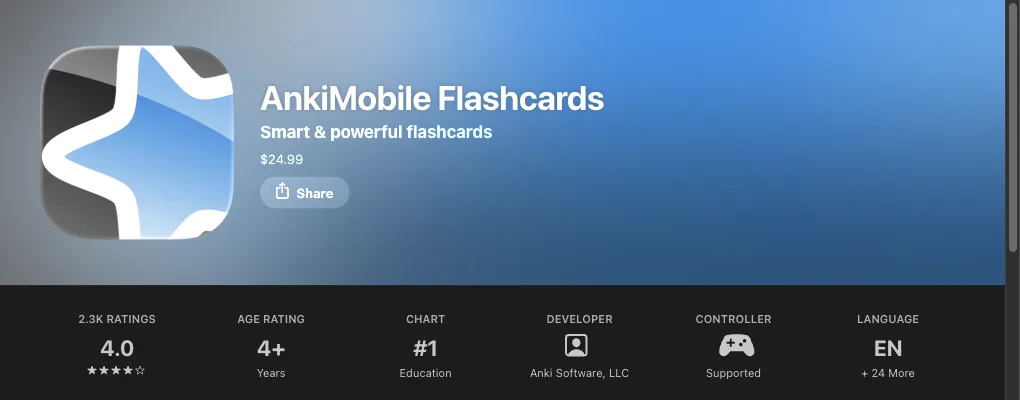
The trade-off is the interface: it mirrors desktop Anki closely, so deck-options screens are dense, and there is no AI card generation. If the priority is "exactly what my desktop does, on my phone", this is the reference option; our Anki on iPhone guide covers it in more detail.
AnkiWeb
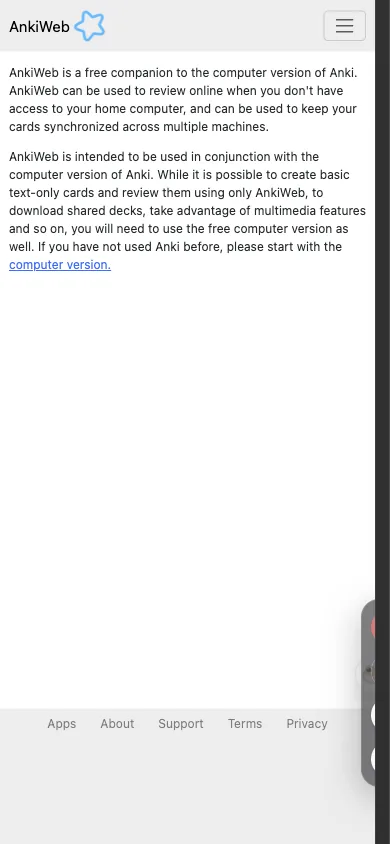
It fits people who review mostly on a computer and occasionally clear a few cards on the phone; it is not a replacement for a native app.
Noji
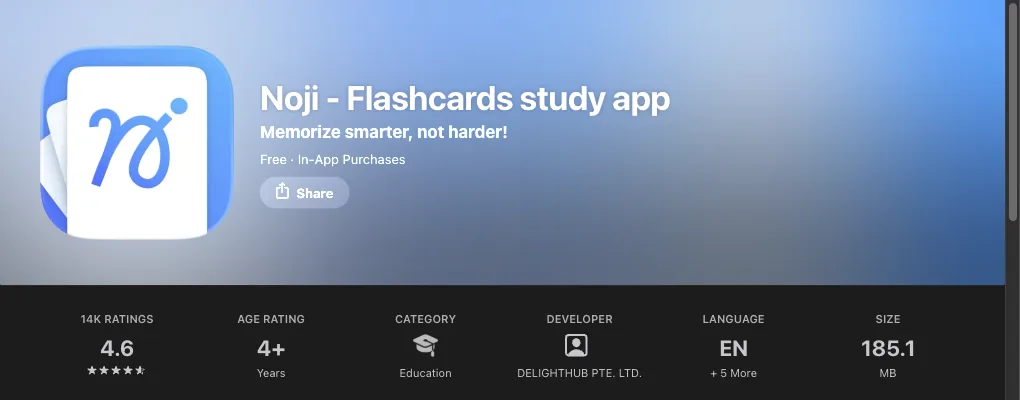
.apkg and .colpkg files, but the upload happens on the noji.io web interface rather than inside the iOS app, and if you export with progress data from desktop Anki the review history comes along.Noji describes its scheduler only as an "enhanced spaced repetition algorithm", so FSRS support is not stated, and the free tier caps daily reviews. Offline mode is deck-by-deck: up to 6 downloaded decks of at most 200 cards each, with no card editing offline. Requires iOS 15.4 or later.
AlgoApp
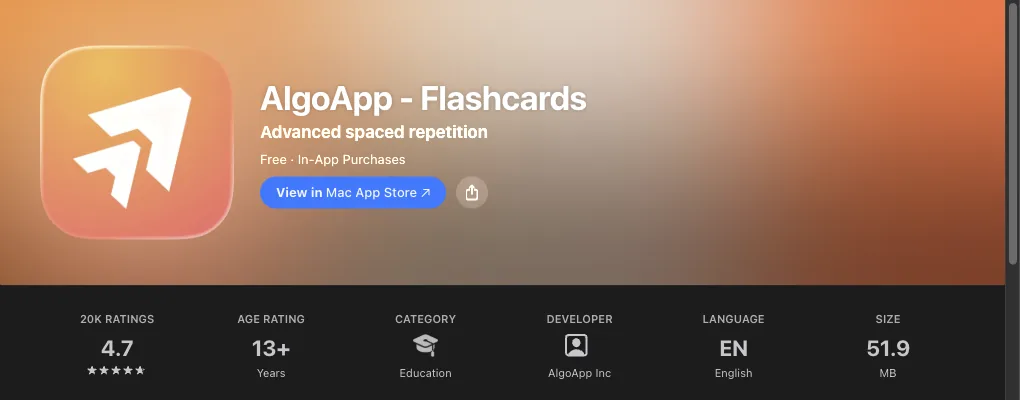
The limitation is the import: AlgoApp's support article states that "card content imports, but Anki review history and scheduling data do not." Fine for a fresh deck, a poor fit for a half-learned collection.
MintDeck
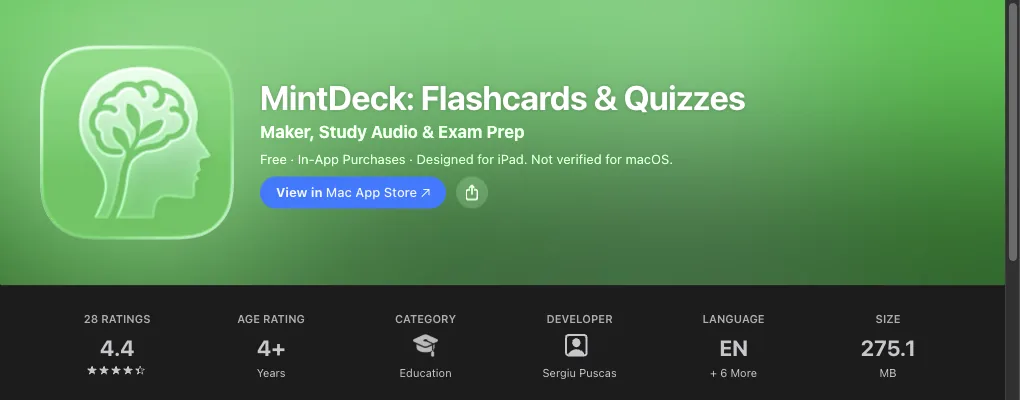
.apkg with scheduling and media, exports back to .apkg, schedules with FSRS, is offline-first, and syncs between iPhone and iPad over iCloud.The constraints are platform ones: iOS 18.0 or later, and no Android or web version.
Mochi
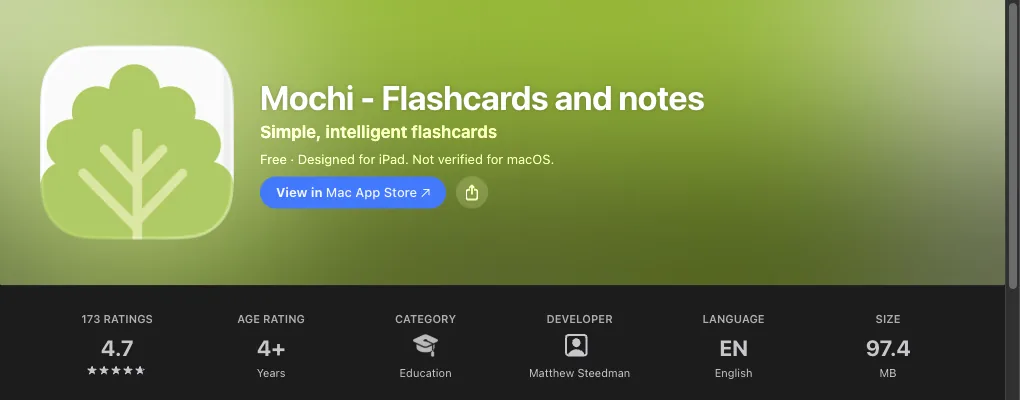
.apkg files "including review history", and it schedules with its own algorithm by default with FSRS available in Settings.Because Mochi renders Markdown, the importer converts Anki's HTML to Markdown and strips CSS and JavaScript. Simple front/back decks come through cleanly; heavily templated decks (AnKing-style cards with scripts and custom styling) lose their formatting. Requires iOS 15.6 or later.
Guru
.apkg and .colpkg files using Anki's own engine through a Rust bridge, so cards, cloze, images, audio, sub-decks and FSRS scheduling state are preserved rather than re-parsed. We tested it on 2026-09-07 with real shared decks: Zanki Physiology & Pathology (16,966 cards, 125 MB, about 15 seconds), USMLE Step 2 (5,647 cards, 68 MB), MileDown MCAT (2,888 cards, 238 MB, image-heavy), JLPT eggrolls N1–N5 (10,147 cards with 10,107 audio files, 121 MB, 89 seconds) and First Aid 2017 Pharmacology (1,232 cards). Decks open from Files, AirDrop, Safari downloads or the share sheet.Review uses FSRS with Again/Hard/Good/Easy, one card per note per day (cloze siblings are buried). Importing decks and daily review are free; the free tier covers up to 5 decks (imported and created combined) and 2 goals. Pro unlocks card editing, cross-device sync with the GuruOwl web app, Study Lock (a Screen Time shield on apps you choose until today's review is done) and unlimited decks, at US$4.99/month after a 3-day free trial, US$39.99/year, or US$24.99 one-time Lifetime including 5,000 AI credits. AI turns PDFs and notes into cards using credits, including image occlusion cards. Every deck exports back to standard .apkg, and a free wireless Anki Remote drives desktop Anki. Requires iOS 17 or later. Guru is not affiliated with Anki, AnkiMobile or AnkiWeb.
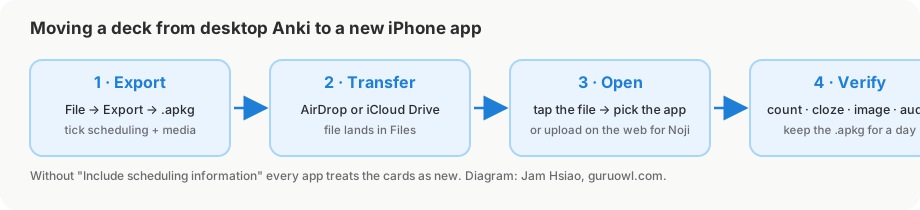
How to move your decks to a new app
The same four steps work for every app in the table.
- Export from Anki desktop with scheduling. Open Anki, choose File → Export, set the format to "Anki Deck Package (.apkg)", select the deck (or "All decks" for a
.colpkgbackup), and tick both "Include scheduling information" and "Include media". Without the scheduling box, every app will treat your cards as new. - Get the file onto the iPhone. AirDrop from a Mac is fastest; otherwise save it to iCloud Drive, Google Drive or Dropbox. Any route that ends with the file in the Files app works.
- Open the file in the new app. For AnkiMobile, MintDeck, Mochi and Guru, tap the file in Files (or use the share sheet) and pick the app. For Noji, upload the file at noji.io in a browser instead. For AlgoApp, use "Import Decks" inside the app. Media-heavy files of 200 MB and more can take a minute or two.
- Check three things before deleting anything. Card count matches desktop Anki; a cloze card renders with its blanks; an image or audio card plays. If you exported with scheduling, due counts should be close to desktop rather than every card showing as new. Keep the
.apkguntil you have done a full day of reviews.
Step-by-step screenshots are in How to import your Anki decks onto iPhone; to look inside a file first, see how to open .apkg files on iPhone.
FAQ
What is the best free Anki alternative for iPhone?
MintDeck (free, FSRS, iOS 18+) and Guru (free import and review, up to 5 top-level decks, iOS 17+) both import .apkg with scheduling at no cost. Mochi is free for single-device use. AnkiWeb is free but browser-only with no offline mode.
Is there an app like Anki that is free on iOS? Yes. Noji, AlgoApp, MintDeck, Mochi and Guru all have free tiers, and AnkiWeb is a free website. What each free tier limits: daily reviews (Noji, AlgoApp), sync (Mochi), deck count and editing (Guru), AI credits (MintDeck).
Which Anki alternatives on iPhone use FSRS? AlgoApp, MintDeck and Guru use FSRS natively. AnkiMobile supports both SM-2 and FSRS. Mochi uses its own algorithm by default and lets you switch to FSRS in settings. Noji does not state which algorithm it uses.
Will my Anki progress carry over if I switch apps? Only if you export with "Include scheduling information" and the target app keeps it. AnkiMobile, MintDeck, Mochi, Noji and Guru say they import review history; AlgoApp imports card content only. Mochi keeps history but converts card HTML to Markdown, so formatting can change.
Can I go back to Anki later?
From Guru and MintDeck, yes — both export standard .apkg files that desktop Anki and AnkiMobile open. Check the export options before committing a large collection to any other app.
Bring your Anki decks to iPhone intact
Guru imports .apkg and .colpkg with FSRS scheduling preserved, reviews offline, and exports back to Anki any time. Importing and daily review are free for up to 5 decks.
Get Guru