
AnkiMobile Alternative: Do You Need to Pay $24.99 to Use Anki on iPhone?
.apkg intact, free to import and review, Pro from $4.99/month or $24.99 lifetime), or another importer app. Whatever you pick, keep your decks in .apkg so you can leave any time. (For the broader iPhone/iPad overview, see every way to use Anki on iPhone.)

What AnkiMobile costs — and what you actually get
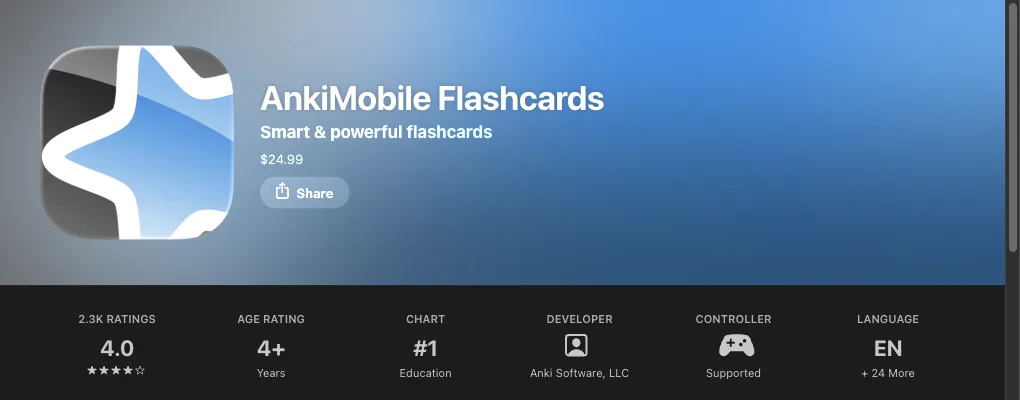
AnkiMobile Flashcards is $24.99, one-time, with no in-app purchases, sold by Anki Software LLC. One purchase covers iPhone and iPad, and the FAQ says you can install it on up to five iOS devices on the same Apple ID, with Family Sharing supported.
For that you get the most faithful Anki on a phone: the same SM-2 and FSRS scheduling as the desktop app, free AnkiWeb cloud sync, offline study with media stored locally, MathJax/LaTeX rendering, and decks of 100,000+ cards. The listing is candid that it is "a mobile companion to Anki" — some tasks, like editing note types, still expect the computer version.
The price is deliberate. Anki's own FAQ explains that AnkiMobile "is not a standalone app" but is meant to be used with the free sync service and open-source desktop app, and that working on all three is a full-time job — AnkiMobile is how that work gets paid for. Earlier experiments with lower prices reduced income, so $24.99 stuck. If you rely on Anki daily, paying once to keep that ecosystem alive is a fair deal.
The honest reasons people look for an alternative
People who keep looking after seeing the price usually have one of four complaints:
- Price relative to their usage. $24.99 is cheap for a med student reviewing daily for three years, and a lot for someone trying one shared deck for a month.
- The interface. AnkiMobile is powerful but looks and feels like desktop Anki ported to a phone, and some people bounce off it.
- Game-controller support is narrow. The AnkiMobile manual states the controller "must be supported by iOS, and must provide an extended controller profile" — Apple's
GCExtendedGamepad— and that "controllers with fewer buttons can not currently be used." That rules out the small, cheap 8BitDo-style clickers many people buy specifically for hands-free review. (Our 8BitDo setup guide covers the workaround.) - No AI. AnkiMobile has no built-in way to turn a PDF or notes into cards; several newer apps do.
If none of these bother you, buy AnkiMobile. Otherwise, here are the options that actually work on iOS.
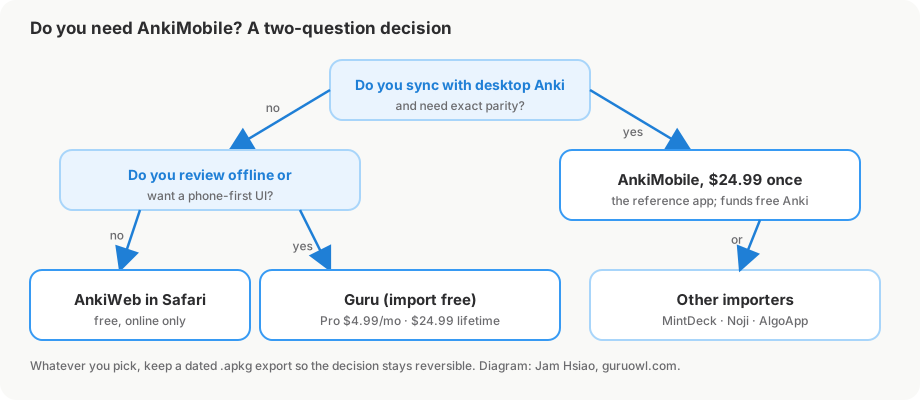
Alternative 1: AnkiWeb in Safari (free)
AnkiWeb is Anki's free service for sync and, per the manual, "to study online." Log in at ankiweb.net in Safari and you can review your due cards without installing anything or paying.
- Cost: free.
- Good for: occasional review, or checking whether you like Anki before spending money.
- Limits: it is a website, so you need a connection and you get a web-page experience rather than a native one — no share-sheet import of
.apkgfiles, limited gestures, and adding decks or editing note types still expects the desktop app.
Alternative 2: a native importer like Guru
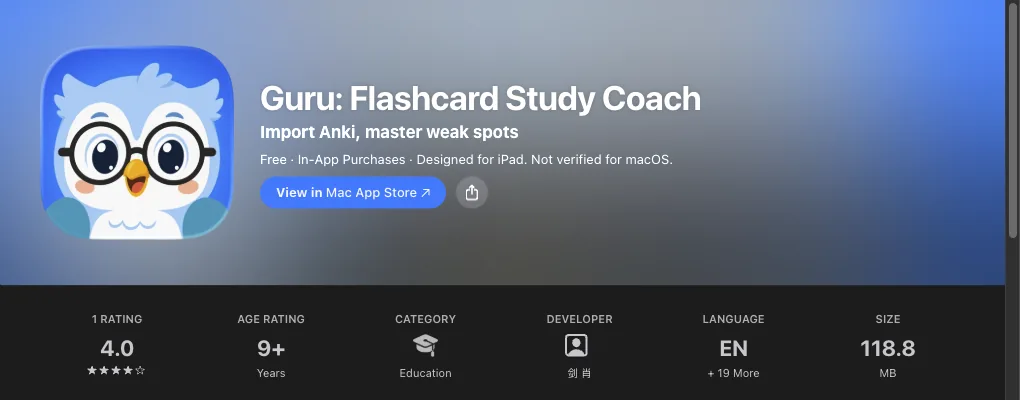
Guru is a native iOS app (iOS 17+) that takes the decks you already have and reviews them the Anki way, on an interface built for a phone.
It imports .apkg and .colpkg files using Anki's own engine, so cards, cloze, images, audio, sub-decks and FSRS scheduling state come across intact. We tested this on real shared decks on 2026-09-07: Zanki Physiology & Pathology (16,966 cards, 125 MB) imported in about 15 seconds; USMLE Step 2 (5,647 cards) and MileDown MCAT (2,888 cards, 238 MB) imported cleanly; the JLPT "eggrolls" deck (10,147 cards with 10,107 audio files) took 89 seconds. Decks open from Files, AirDrop, Safari downloads, or the share sheet — the step-by-step is in how to import your Anki decks on iPhone.
Review uses FSRS with Again/Hard/Good/Easy and shows one card per note per day.
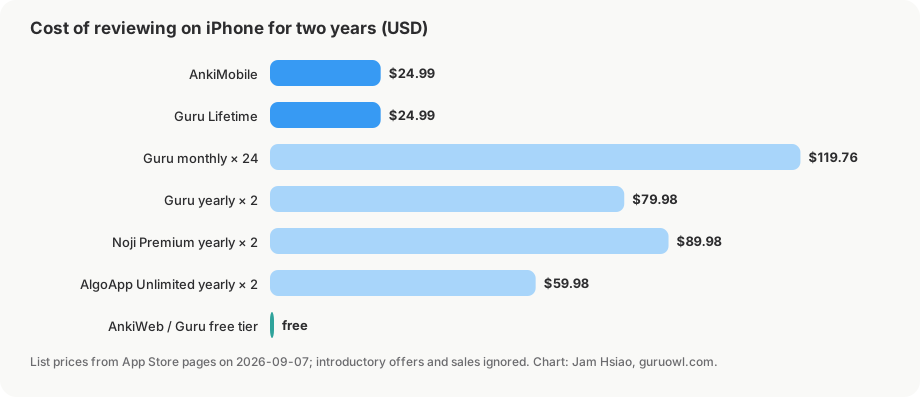
- Cost: importing and daily review are free. The free tier covers up to 5 decks (imported and created combined) and 2 goals. Pro unlocks card editing, cross-device sync with the GuruOwl web app, Study Lock (a Screen Time shield until today's review is done), and unlimited decks: US$4.99/month after a 3-day free trial, US$39.99/year, or US$24.99 one-time Lifetime, which includes 5,000 AI credits.
- Extras AnkiMobile doesn't have: AI generation from PDFs and notes (credits), image occlusion, and a free wireless Anki Remote that drives desktop Anki from your phone.
- Limits: it is a separate app, not a client for AnkiWeb, so you move decks in by file rather than by AnkiWeb login. Guru is not affiliated with Anki, AnkiMobile, or AnkiWeb.
Guru's Lifetime is the same $24.99 as AnkiMobile; the difference is you can import and review free first and pay only if you want editing, sync, Study Lock, AI, or more than five decks.
Alternative 3: other importer apps, briefly
Three other iOS apps import Anki packages. Facts are from their App Store listings and help pages at the time of writing.
- Noji (free, Premium in-app purchases from $4.99/month; iOS 15.4+). Its help center says it supports
.apkgand.colpkgand can "migrate your progress along with the flashcards," with import done through the Noji web interface. Noji's own comparison page says both it and Anki use the SM-2 algorithm; FSRS is not stated. - MintDeck (free with AI-credit in-app purchases; iOS 18.0+). Advertises "Full Anki .apkg import with scheduling and media support," FSRS, an offline-first design, and iCloud sync between iPhone and iPad. Its import guide notes that newer Anki exports may need "Support older Anki versions" checked to import.
- AlgoApp (formerly AnkiApp; free, Unlimited from $9.99/month or $149.99 lifetime; iOS 15.0+). Imports
.apkg,.xml, and.csv, "natively supports FSRS," works offline, and syncs across desktop, web, and mobile.
How each handles large media-heavy decks is not stated in detail, so test with a real deck before committing.
Side by side: AnkiMobile vs Guru vs AnkiWeb
| AnkiMobile | Guru | AnkiWeb (Safari) | |
|---|---|---|---|
| Price | $24.99 one-time | Import + review free for up to 5 decks; Pro $4.99/mo (3-day trial), $39.99/yr, or $24.99 lifetime | Free |
.apkg / .colpkg import on the phone | Yes | Yes, via Files / AirDrop / Safari / share sheet | No — import on desktop, then sync |
| Images and audio | Yes, stored locally | Yes (tested: 10,107 audio files in one deck) | Yes, when synced with media |
| Scheduling preserved on import | Yes | Yes (FSRS state) | Yes, via sync |
| FSRS | Yes (SM-2 and FSRS) | Yes (FSRS only) | Follows your collection's settings |
| Offline review | Yes | Yes | No — it's a website |
| Sync | AnkiWeb (free) | GuruOwl web app (Pro) | It is the sync service |
| AI card generation | No | Yes (PDF/notes → cards, image occlusion; credits) | No |
| Cheap small game controllers | Extended-profile controllers only | Yes, plus free wireless Anki Remote for desktop Anki | n/a |
| Desktop add-on parity | Closest | No add-ons | No add-ons |
Keep your decks portable either way
The single most important thing when choosing an AnkiMobile alternative is that your years of reviews should never be trapped in one app. The .apkg format makes that possible in both directions:
- Leaving Anki: export from desktop Anki with scheduling included and open the file on your phone. On Guru that preserves the FSRS state, so your due dates and intervals carry over rather than resetting to "new."
- Going back: every Guru deck exports to a standard
.apkg, which desktop Anki and AnkiMobile import directly. If you decide AnkiMobile's desktop parity matters more after all, you lose nothing.
Regardless of app, keep a dated .apkg backup of each deck in Files or iCloud Drive; it makes every "should I switch?" decision reversible.
FAQ
Is AnkiMobile worth $24.99? If you use Anki every day, sync with desktop, and want exact scheduler and note-type parity, yes — and the money funds the free desktop app and AnkiWeb. If you mainly want to review a few shared decks on your phone, try AnkiWeb or a free importer first.
Is there a free AnkiMobile alternative?
AnkiWeb in Safari is free but online-only. Guru lets you import .apkg files and review them free (up to 5 top-level decks); Noji, MintDeck, and AlgoApp also have free tiers with Anki import. What each free tier includes changes, so check the listing.
Does AnkiMobile have a free trial or refund? The App Store listing shows a one-time $24.99 price with no trial. Refunds go through Apple's standard process, not the developer; whether one is granted is up to Apple.
Will my scheduling survive if I switch to another app?
Only if the app imports scheduling state, not just cards. Guru preserves FSRS state on .apkg/.colpkg import (tested on 16,966-card Zanki). MintDeck and Noji say they import progress; verify on a copy of your deck before deleting anything.
Can I use AnkiMobile and an alternative at the same time? Yes — export from desktop Anki to both. Pick one app as the source of truth for reviews, since two apps can't merge each other's history.
Try your decks before you decide
Import any .apkg with scheduling intact and review with FSRS — free. Pro from $4.99/month or $24.99 lifetime.
Get Guru