How to Convert PDF to Anki Flashcards
Learn a practical workflow for converting highlighted PDFs into Anki flashcards, reviewing card quality, and exporting a deck that is actually usable for spaced repetition.
If you are trying to convert a PDF into Anki flashcards, the hard part is usually not extraction. It is getting a deck that is focused, reviewable, and worth studying.
If you would rather skip the manual route, the PDF to Anki converter runs the whole document and shows cards before you sign up. The rest of this guide explains what a good deck needs, whichever tool you use.
Many students try the obvious workflow first: copy text out of a PDF, paste it into a chatbot, then spend an hour cleaning up the output. That can work for small sections, but it gets messy fast when the source material is long, highlighted, or full of domain-specific terminology.
This guide explains a more practical PDF to Anki workflow and where GuruOwl fits into it. If you want to test the result before following the full process, the PDF to Anki converter turns the first pages into editable cards without signup.
What makes a good PDF to Anki workflow
A useful workflow should do four things well:
- Preserve the source context so you can check whether a card is correct.
- Focus on the parts you actually want to memorize instead of generating cards for every paragraph.
- Produce cards in a format that works for Anki, including short answers and cloze-style prompts where appropriate.
- Export to a real
.apkgdeck instead of leaving you with raw text to clean up.
If any of those steps are missing, the process usually becomes slower than making cards by hand.
When converting PDF to Anki works best
PDF to Anki conversion tends to work best when your source material is:
- A review guide, textbook section, or lecture handout with clear structure
- Highlighted already, so the model knows what deserves focus
- Dense with definitions, rules, mechanisms, or testable facts
- Something you want to review repeatedly through spaced repetition
This is why the workflow is especially useful for bar prep, medical school, CPA review, nursing, and language learning.
Step by step: convert a PDF to Anki
1. Start with a marked-up PDF
The best results come from a PDF that already reflects your study decisions. Highlight the lines, rules, or explanations you want to remember before you upload.
If you feed the model an entire unmarked book chapter, you usually get too many cards. If you upload a highlighted review PDF, the deck stays much tighter.
2. Upload the PDF and inspect the source
Upload the file, let the document finish parsing, and make sure the pages render correctly. If your source is a common review guide or outline, start with a targeted page such as First Aid to Anki or Critical Pass to Anki.
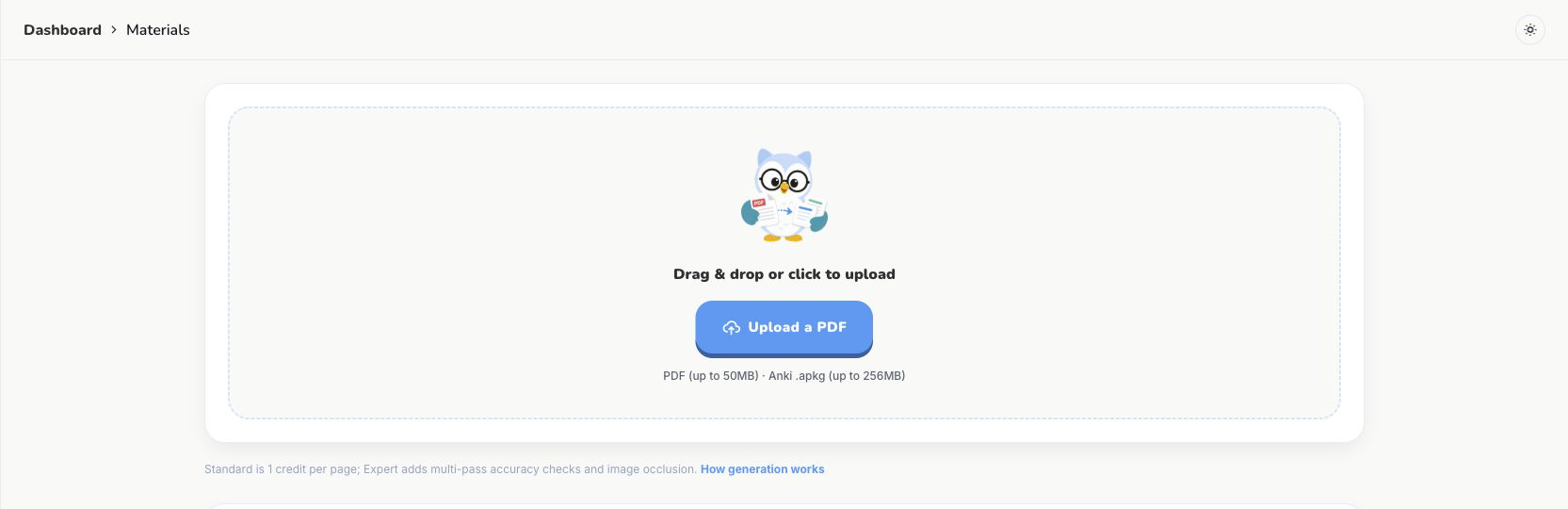
.apkg file from the same upload area.3. Generate cards from the highlighted material
The strongest cards usually come from highlighted definitions, rule statements, mechanisms, and comparisons. Good prompts are shorter than most people expect:
- What are the elements of this rule?
- What is the mechanism here?
- Turn this highlighted paragraph into 3 atomic Anki cards.
- Create cloze cards only where a blank improves recall.
For labeled anatomy, histology, or pathway diagrams, use automatic Anki image occlusion instead of forcing every visual into a text card. The free one-page demo lets you inspect and correct the proposed masks first.
4. Review before export
Do not skip review. Even strong AI output can overgeneralize or compress nuance. The safest workflow is to compare each generated card with the original text while the source PDF is still visible.
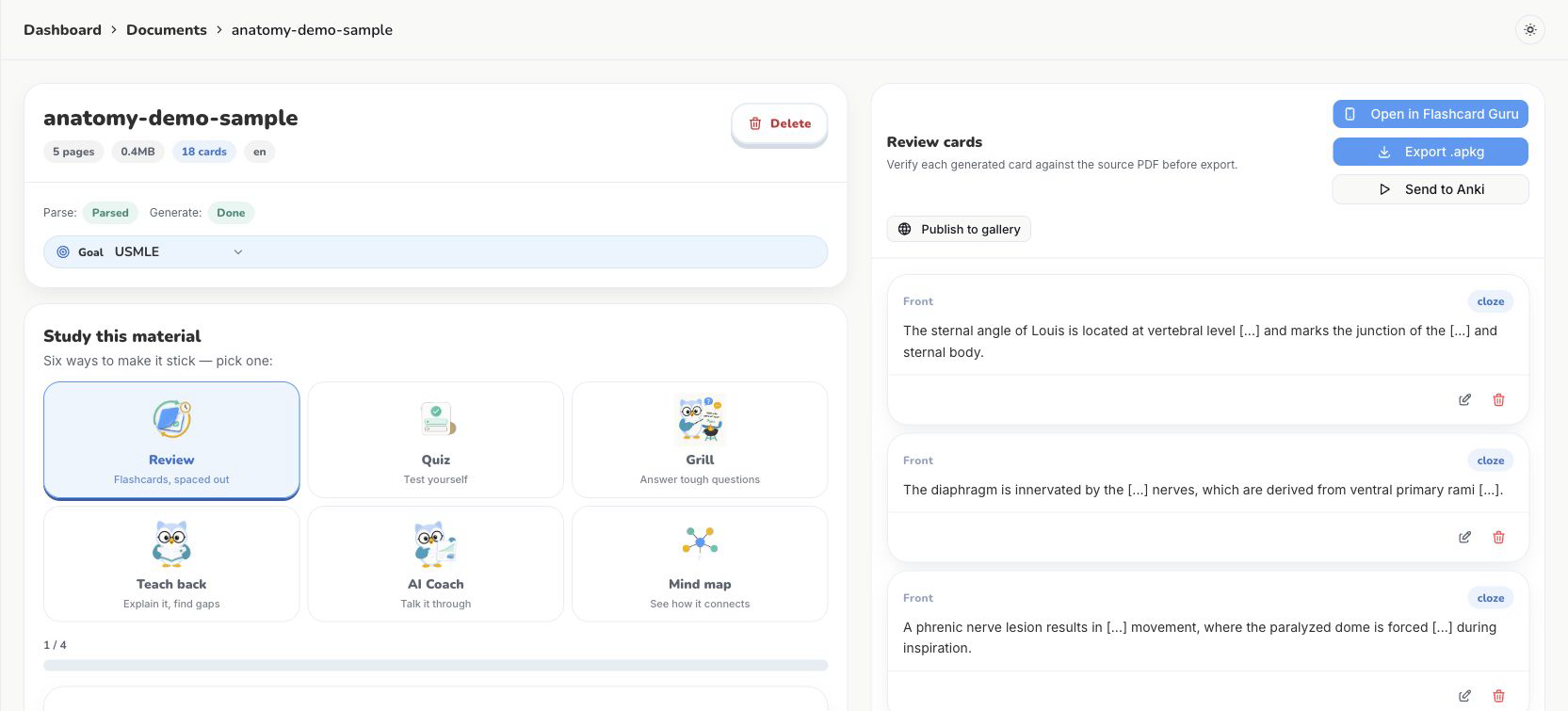
.apkg export only after inspection.5. Export the deck to Anki
Once the deck is clean, export it as .apkg and import it into Anki. That is the point where the PDF becomes part of your normal spaced-repetition system instead of staying trapped in a document.
What to highlight before upload
If you want better cards, highlight with flashcards in mind. The most useful sections are:
- Definitions and key terms
- Multi-part tests and rule statements
- Cause and effect relationships
- Lists, comparisons, and exceptions
- High-yield explanations you repeatedly forget
The least useful sections are usually narrative filler, long examples with no testable point, and broad summaries that combine too many ideas into one paragraph.
Common mistakes
Turning one paragraph into one card
Anki works better when each card asks for one idea. If a paragraph contains three rules, make three cards.
Exporting without review
AI can save time, but only if you catch weak cards before they enter your deck. Otherwise you just moved the cleanup to a later review session.
Generating from everything
A smaller deck that covers your highlighted weak spots usually beats a giant deck generated from the full PDF.
Why students use GuruOwl for PDF to Anki
GuruOwl is built around the part that generic AI tools usually skip: the actual study workflow. Instead of stopping at text generation, it keeps the PDF visible for review, supports highlight-aware generation, and exports a deck you can use in Anki.
If you want to see how the workflow looks in practice, try the PDF to Anki converter, compare plans on pricing, or browse more sample decks.
FAQ
Can I convert any PDF to Anki?
You can convert many study PDFs, but the best results come from structured material with clear concepts, definitions, or rules. Scanned pages with poor OCR or messy formatting usually need more cleanup.
Is PDF to Anki better than making cards manually?
It is better when you already know what to highlight and you still want to save time on drafting. It is worse when you expect perfect cards without review.
Should I use cloze cards or question-answer cards?
Use cloze cards when the wording matters and a missing phrase improves recall. Use question-answer cards when you need a concept, mechanism, rule, or comparison explained clearly.
How many cards should one chapter become?
There is no fixed number. A good rule is to prefer fewer, more atomic cards over a large deck full of vague or repetitive prompts.