
I Imported 5 Real Anki Decks into an iPhone App. Here's Exactly What Survived

Why I ran this test
"Will my deck survive the import?" is the question behind almost every message we get from Anki users. A card count that matches desktop Anki is not enough: a cloze deck can import with the right number of cards and still show raw {{c1::…}} markup, missing hints, blank images or dead audio buttons. So instead of trusting the parser, I took real shared decks that medical, MCAT and Japanese learners actually use, imported each one on iPhone, started a review session and photographed the first 6–10 cards front and back.
Setup: Guru 1.5.1 (build 76), iPhone 16 Pro Max, iOS 18. Each .apkg was opened straight from Files, which triggers the same import wizard you get from AirDrop or the share sheet. Timings are wall-clock from tapping Import to the deck appearing in Library.
The five decks
| Deck | File | Cards in Anki | Cards after import | Import time | Rendering check (6–10 cards) |
|---|---|---|---|---|---|
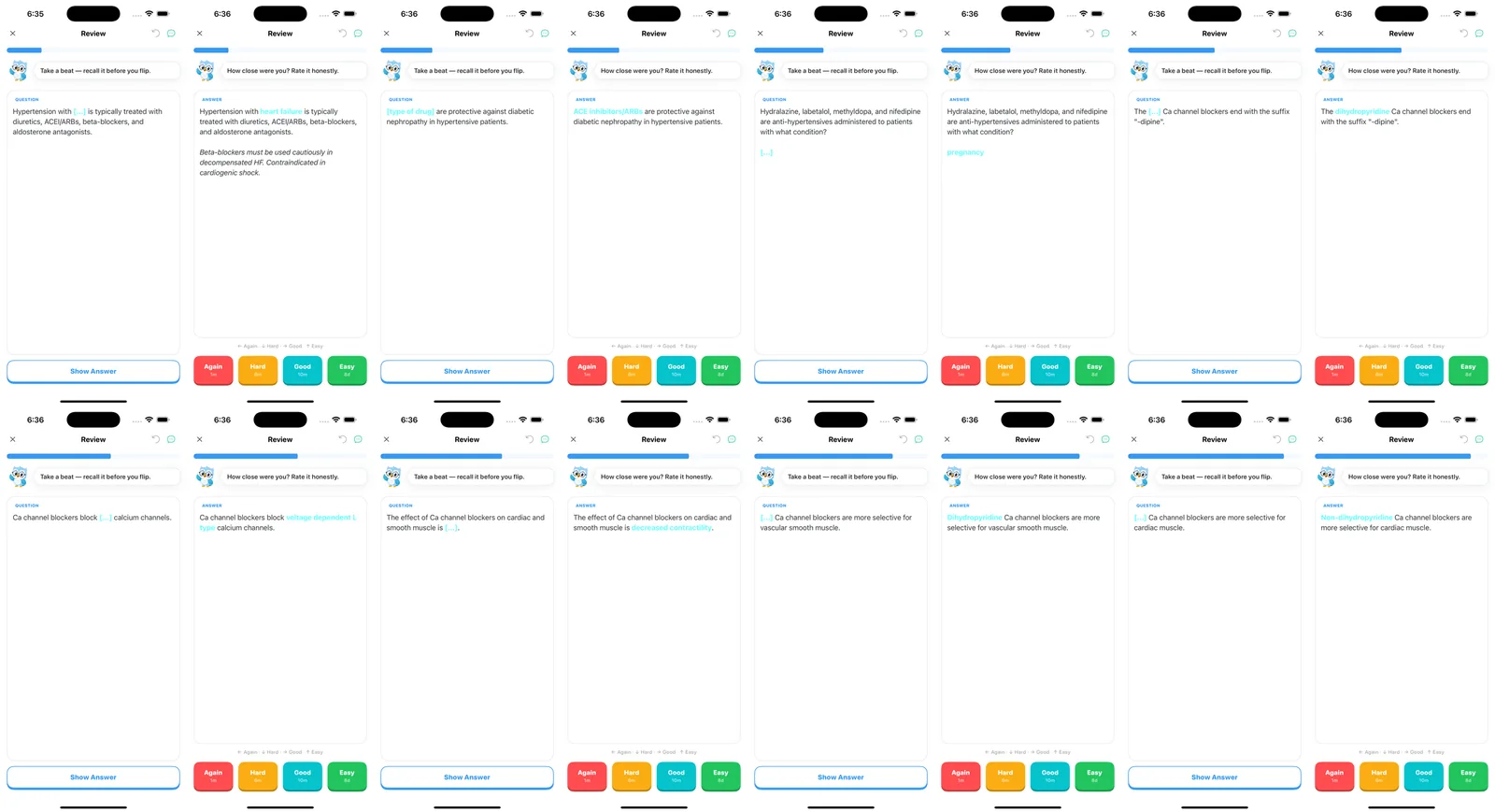
| First Aid 2017 Pharmacology | 5.5 MB | 1,232 | 1,232 | ~10 s | Cloze hints, italic Extra field |
| USMLE Step 2 (23 note types, 14 cloze types) | 68 MB | 5,647 | 5,647 (11,199 before the fix) | ~10 s | Cloze, colored emphasis, images, Extra |
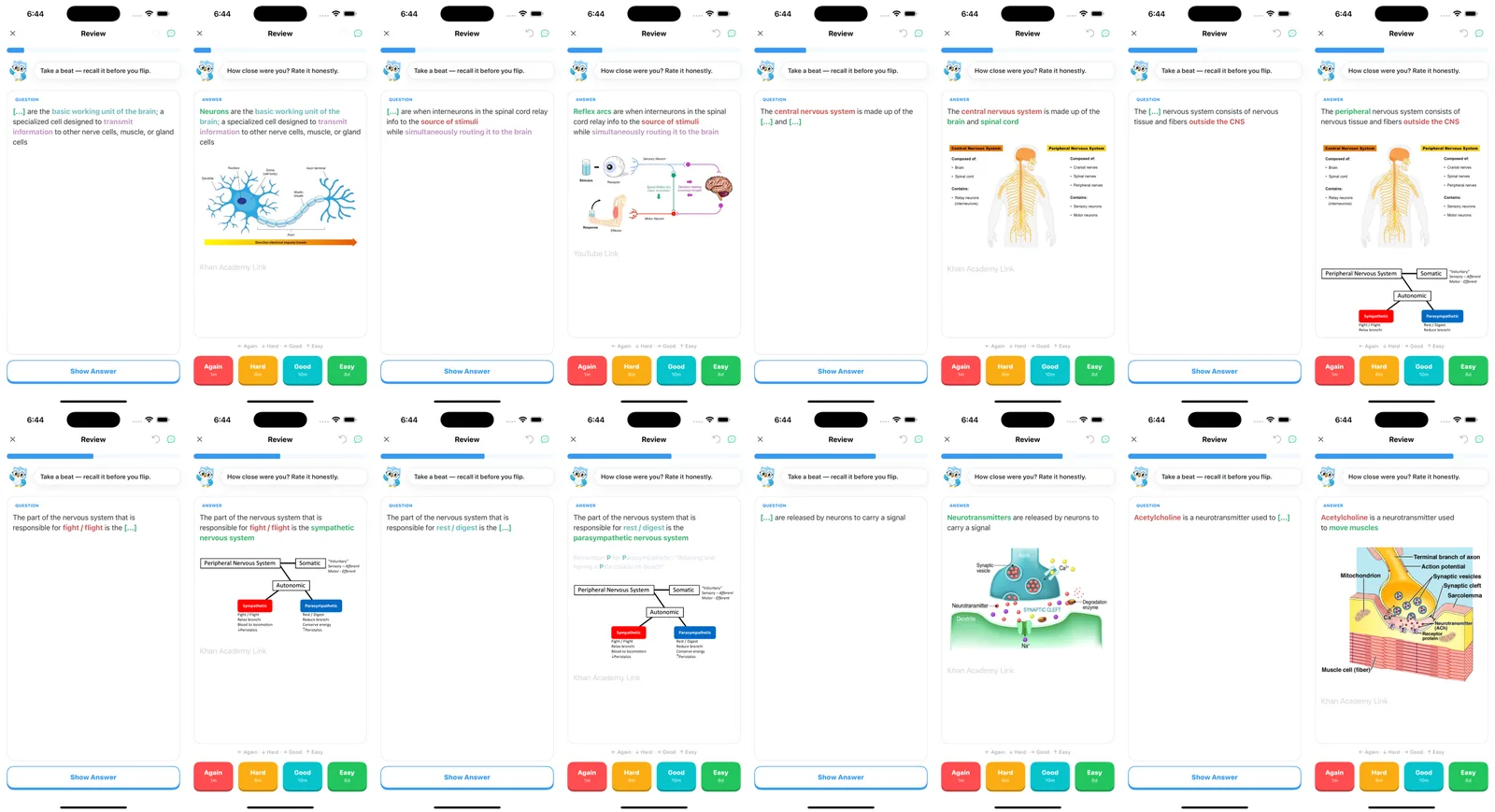
| MileDown's MCAT Decks | 238 MB | 2,888 | 2,888 | ~5 s | Colored cloze, diagrams; external links show as grey text |
| Zanki Physiology & Pathology | 125 MB | 16,966 | 16,966 (20,792 before the fix) | ~15 s | Cloze, underline, images |
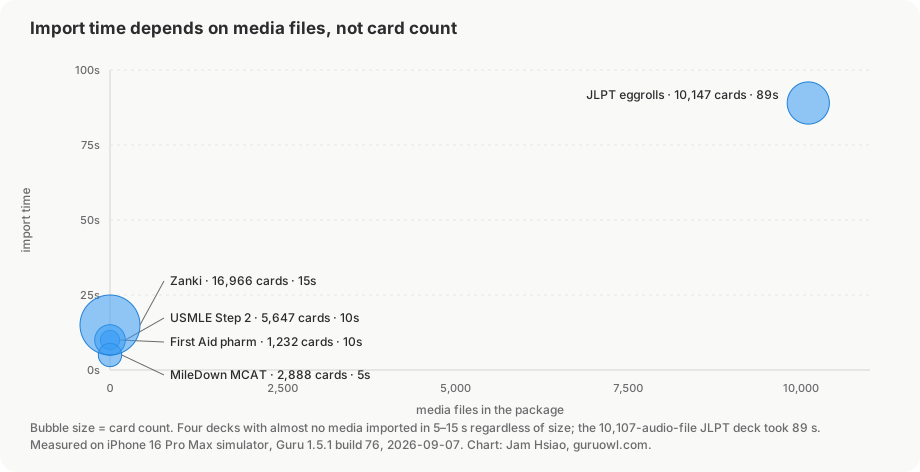
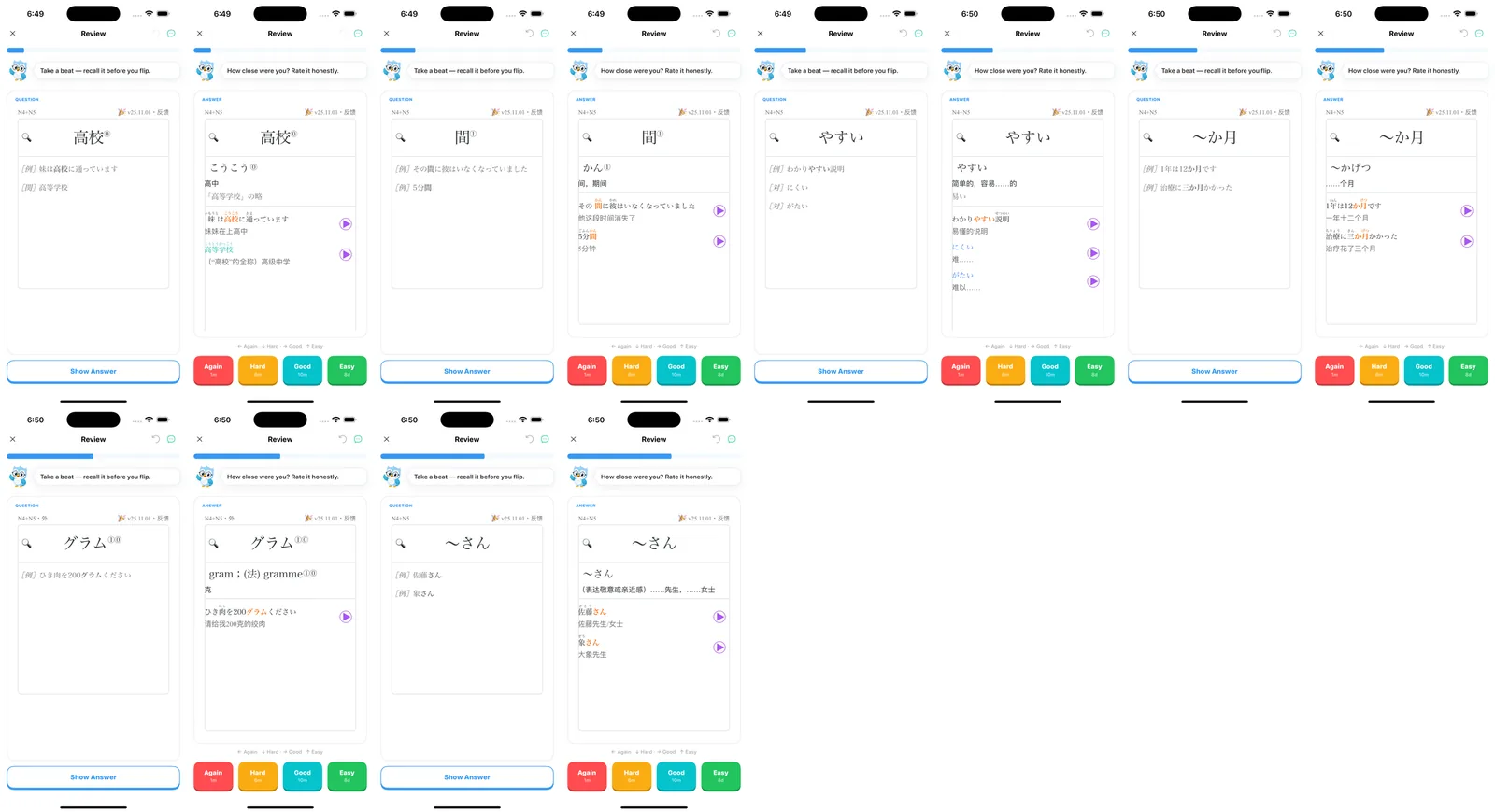
| JLPT "eggrolls" N1–N5 | 121 MB, 10,107 audio files | 10,147 | 10,147 | 89 s | Furigana, example sentences, audio button |
A sixth file, a 263-card AnKing MCAT sample, was used only as a control for re-importing the same package twice; I did not go through it card by card.
What I looked at on every card
- The card count in Library matches the count desktop Anki shows for the same deck.
- Cloze deletions show
[…]or the hint text on the front, and the answer highlighted on the back, one card per cloze number. - Bold, underline and colored text (AnKing-style emphasis) survive.
- Images inside the package load, including the ones referenced from the Extra field.
- Audio fields become a playable button; furigana (ruby text) stays attached to the kanji.
- Template-level additions, such as the header some decks print above every card, still appear.
USMLE Step 2
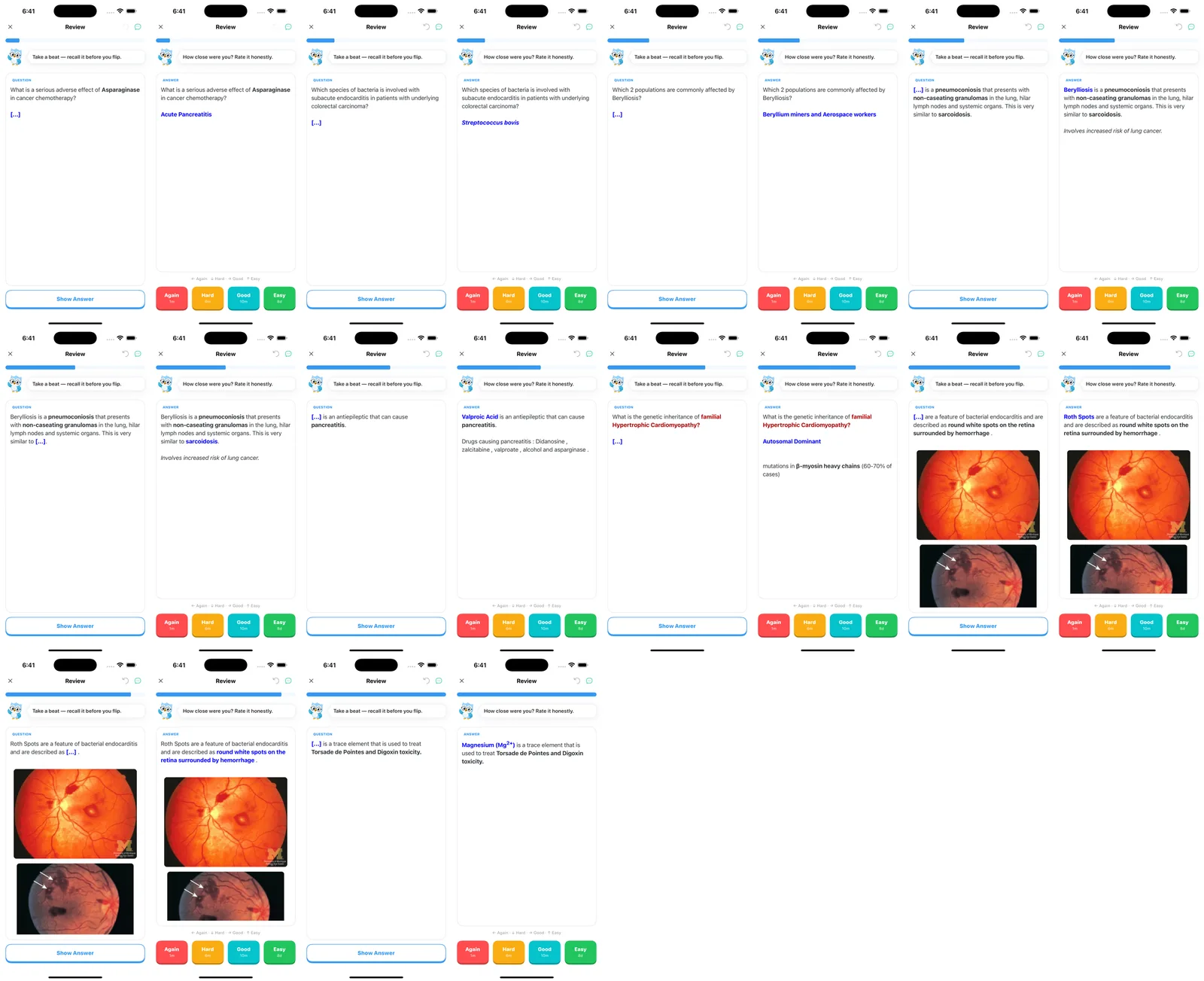
The hardest deck in the set: 23 note types and 14 different cloze templates in one package. Every variant I opened rendered as a normal cloze card, with red and blue emphasis intact and the Extra field below the answer. The retina photos in the endocarditis card are loaded from the package's media folder, not from the internet.
Zanki Physiology & Pathology
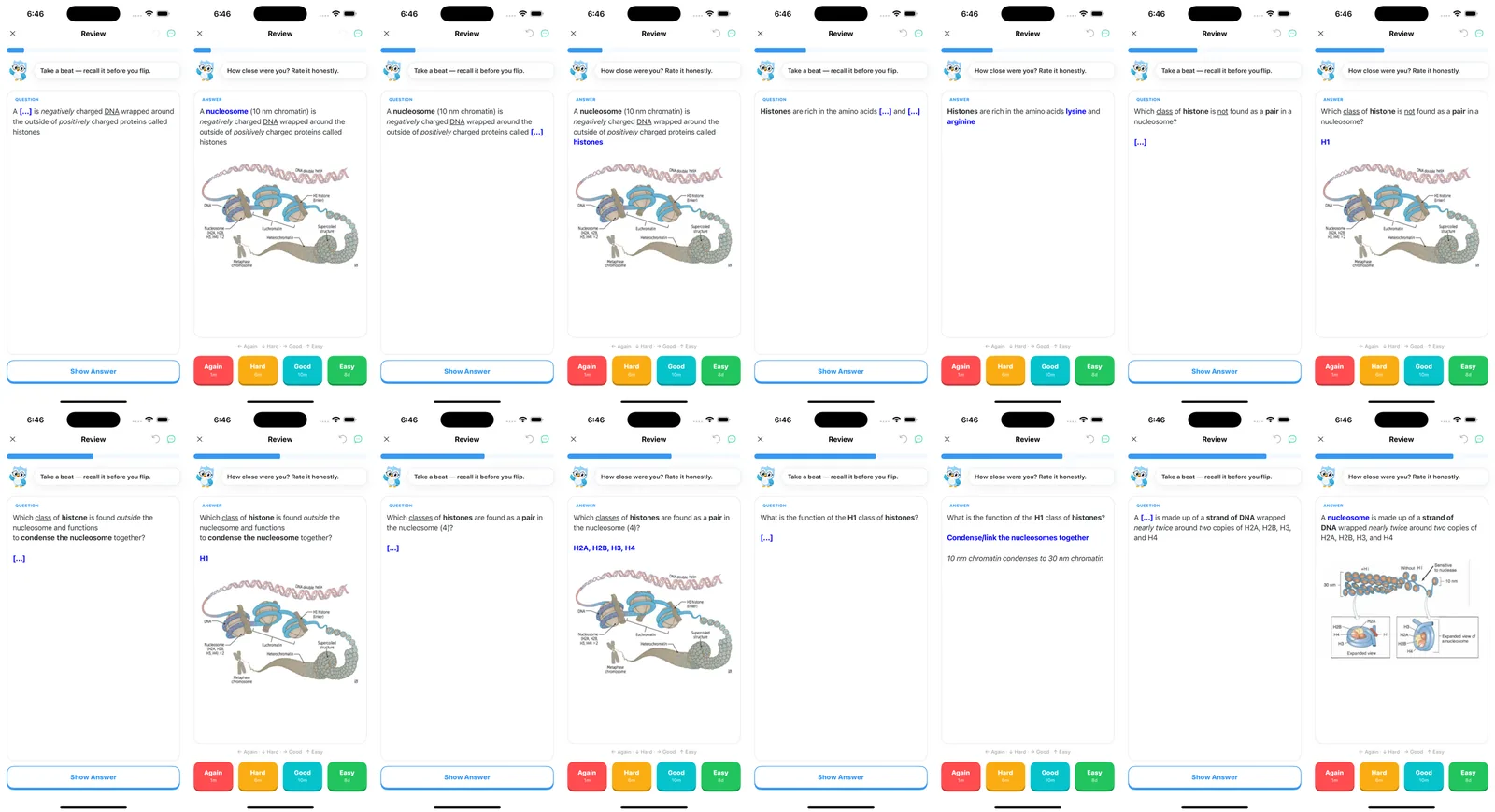
The largest deck by card count. Import took about 15 seconds for 16,966 cards. Underlined terms and images came through. One thing I noticed here, and again in USMLE Step 2: cards from the same note (c1, c2, c3 of one cloze note) appeared back to back in a session. Desktop Anki buries siblings by default; the build I tested did not. More on that below.
MileDown's MCAT Decks
The heaviest file at 238 MB, almost all of it images. It imported in about 5 seconds because the card count is small. Colored cloze deletions and the diagrams render. The one imperfection: MileDown's cards contain external hyperlinks, and those show as grey text rather than tappable links. The text is there; the link target is not.
JLPT "eggrolls" N1–N5
The slowest import, and the reason is media count rather than card count: 10,107 audio files have to be unpacked and indexed. 89 seconds for 10,147 cards. On the cards, furigana sits above the kanji, example sentences keep their line breaks, and each audio field becomes a purple play button.
First Aid 2017 Pharmacology
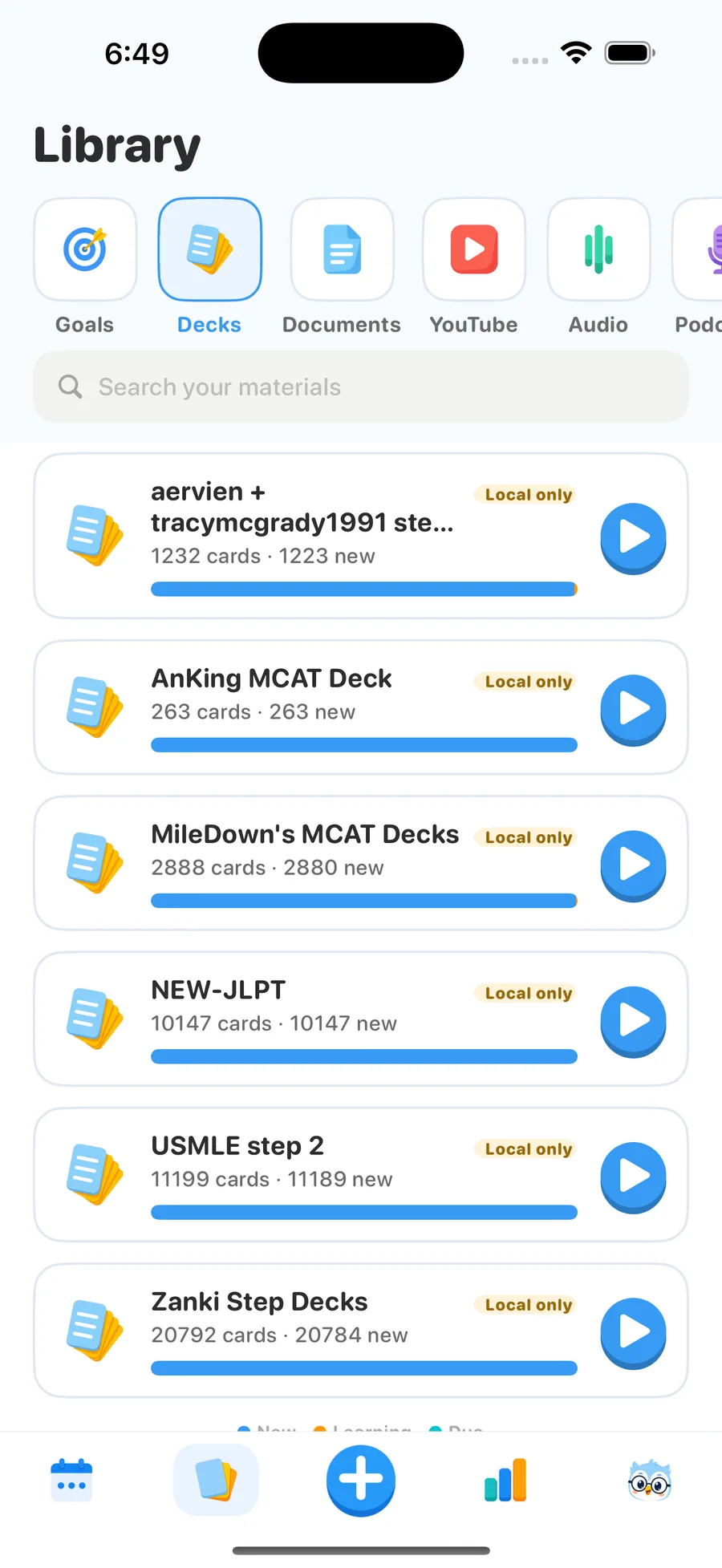
A small, classic cloze deck. Cloze hints and the italic Extra field rendered as expected. Its only problem is cosmetic: the deck's original name, aervien + tracymcgrady1991 step 1 pharm (FA 2017), is what shows in Library, and it truncates on the first screen. Renaming after import fixes it.
The bug the test found: doubled sub-deck trees
USMLE Step 2 imported as 11,199 cards. Desktop Anki says 5,647. Zanki came in at 20,792 instead of 16,966. MileDown and JLPT were exact.
The difference between the decks that doubled and the ones that did not is the deck tree. USMLE Step 2's parent deck holds cards of its own and also has 15 sub-decks. The importer listed every deck that directly contains cards, then enumerated notes for each of them including their children, so the sub-decks' notes were collected once under the parent and once under themselves. Zanki has a few intermediate decks with their own cards, which explains its 22% surplus; MileDown's and JLPT's parent decks are empty, so nothing was counted twice. Modeling "number of card-holding ancestors per card" predicted 11,194 / 20,790 / 2,888 / 10,147, matching what I measured.
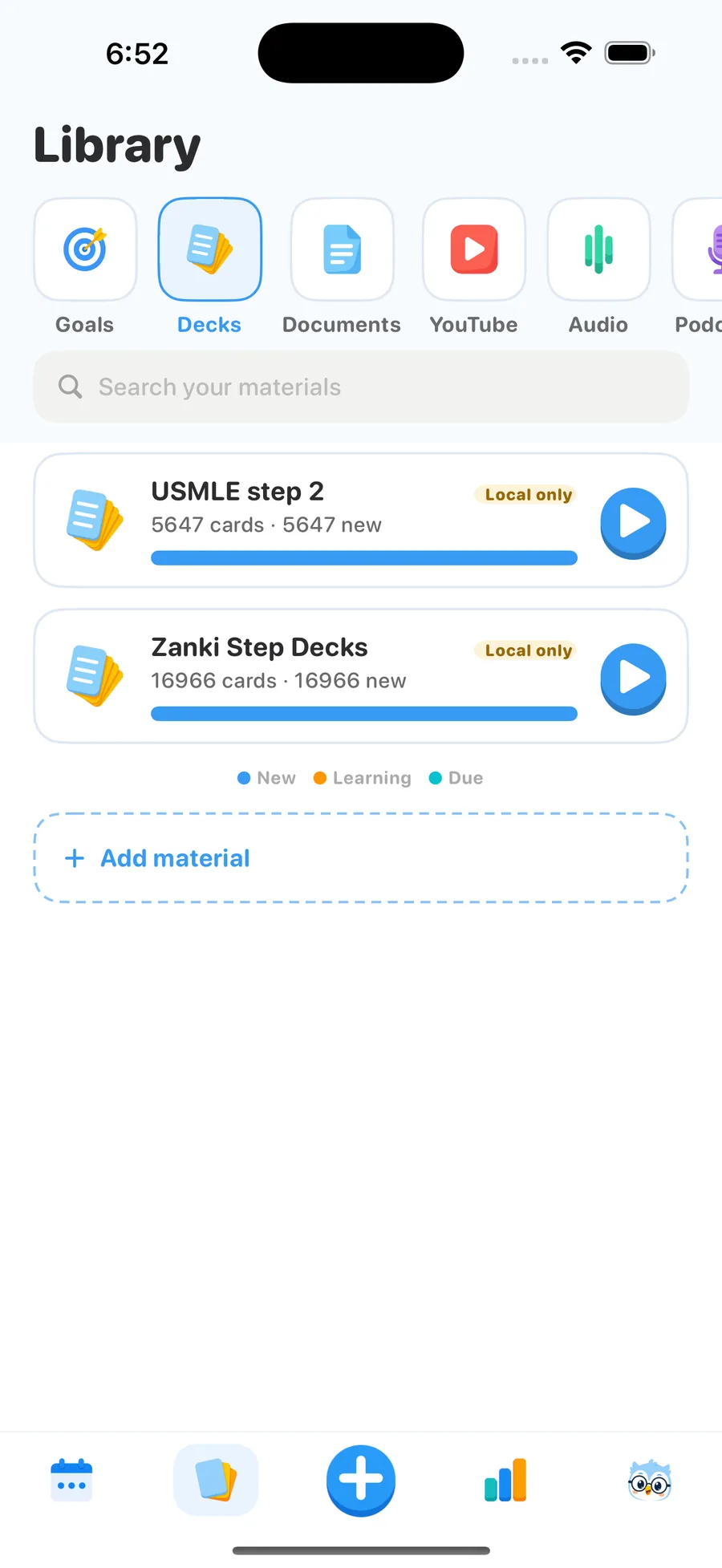
The fix keeps each note only in the deepest deck that claims it. Our local corpus test of 17 real decks, which previously only asserted "at least 100 cards", now asserts exact counts and passes 24/24. The change is in Guru 1.5.1, which is in App Store review as I write this. If you imported a nested deck on an earlier build and see roughly double the expected count, delete the deck and import the file again after updating; existing libraries are not rewritten automatically.
Three things I did not like
- Cloze siblings back to back. c1, c2 and c3 of one note showed up consecutively in a session. In 1.5.1 Guru shows one card per note per day, the way Anki's "bury siblings" behaves.
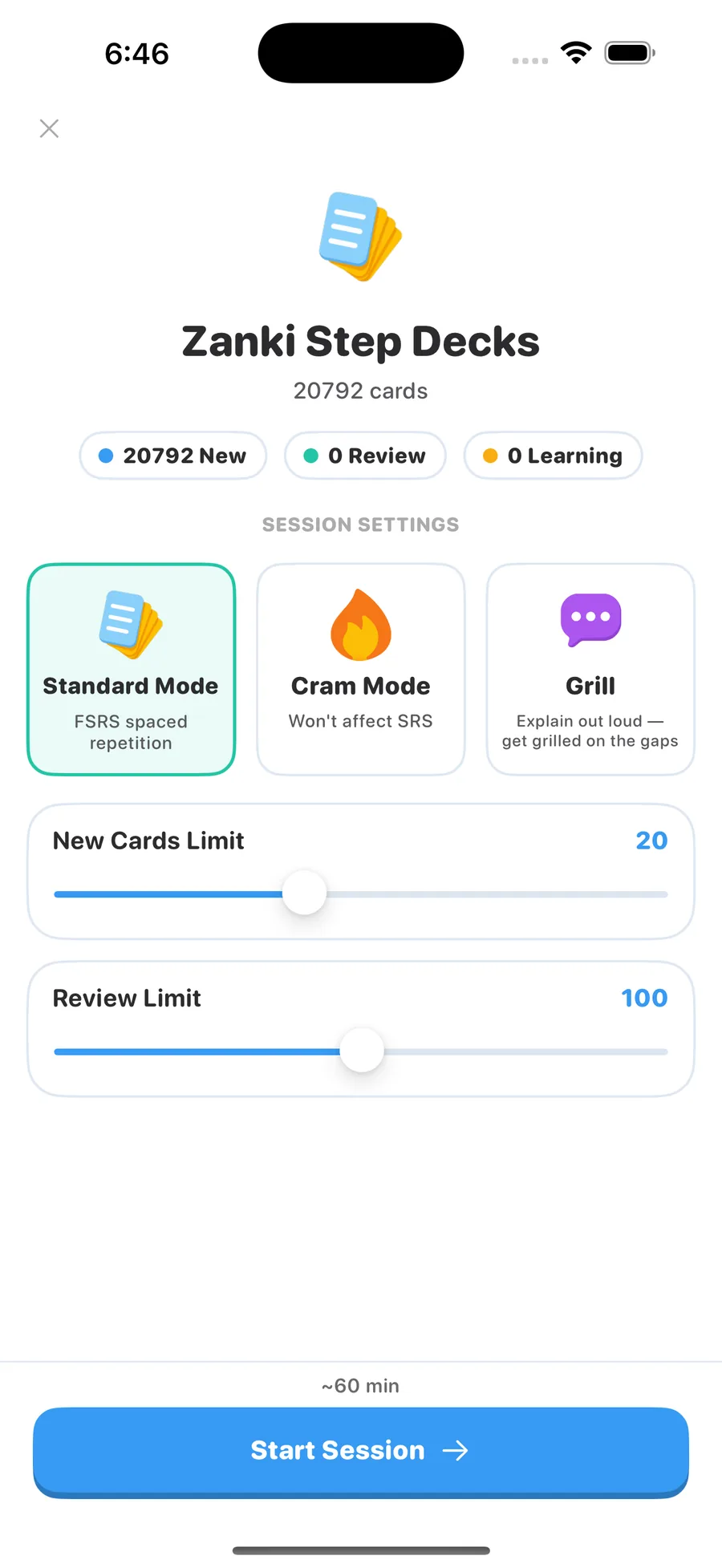
- The "~60 min" estimate. Every deck showed the same estimate for 20 new cards, which is both wrong and discouraging when you just imported 17,000 cards. 1.5.1 estimates from the cards you will actually see in the session.
- Deck names. Shared decks arrive with their original, often very long, names and they truncate in Library. Still open; rename after import for now.
Run the same check on your own deck
- In desktop Anki: File → Export → Anki Deck Package (.apkg). Tick Include scheduling information if you want your intervals to carry over, and Include media for images and audio.
- AirDrop the file to the iPhone or save it to iCloud Drive, then tap it in Files and choose Guru. (Step-by-step with screenshots.)
- Compare the card count in Library with the count in desktop Anki. If your deck has sub-decks and the number is roughly double, you are on a build before 1.5.1.
- Start a session and check one cloze card, one image card and one audio card before deleting the file.
Importing and daily review are free for up to five top-level decks, and a whole sub-deck tree counts as one. Every deck exports back to a standard .apkg.
FAQ
Does the import keep my review history and intervals? It keeps the scheduling state (due dates, stability and difficulty) when the package was exported with "Include scheduling information". A package exported without it imports as all-new cards.
Does it handle AnKing? The USMLE Step 2 deck in this test uses AnKing-style note types with 14 cloze variants and colored emphasis, and all of them rendered. A full AnKing Step deck is a bigger file with more media, so expect an import closer to a minute than to 10 seconds. AnkiHub updates do not flow into Guru automatically; you re-import a fresh export. See AnKing and Zanki on iPhone.
Why did the audio deck take 89 seconds when Zanki took 15? Import time scales with the number of media files, not cards. JLPT eggrolls has 10,107 audio files; Zanki has far fewer, larger images.
Are these screenshots from a real device? They are from the iOS Simulator (iPhone 16 Pro Max) running the same build that ships in the App Store; the import engine and renderer are identical on device. Import times on a physical iPhone 15/16 are in the same range.
Do external links in cards work? Not yet. Links inside card text show as grey text rather than tappable links, as in the MileDown cards above.
Try it with your own deck
Guru imports .apkg and .colpkg with cloze, media, sub-decks and scheduling intact. Importing and daily review are free for up to 5 decks.
Get Guru