
Is Anki Free on iPhone and iPad? What's Actually Free in 2026
.apkg files. Those free plans differ more than their App Store pages suggest. Some keep your review history, one caps you at 50 cards a day, one makes offline study a paid feature.
Before you move a deck to your phone, it helps to know what is actually free and what the free versions leave out. I checked every option against its App Store listing, pricing page and help center on September 16, 2026. Prices below are US App Store prices on that date.
The short answer
| Anki product | Platform | Price |
|---|---|---|
| Anki (desktop) | Windows, macOS, Linux | Free, open source |
| AnkiDroid | Android | Free |
| AnkiWeb | Any browser, including iPhone and iPad | Free |
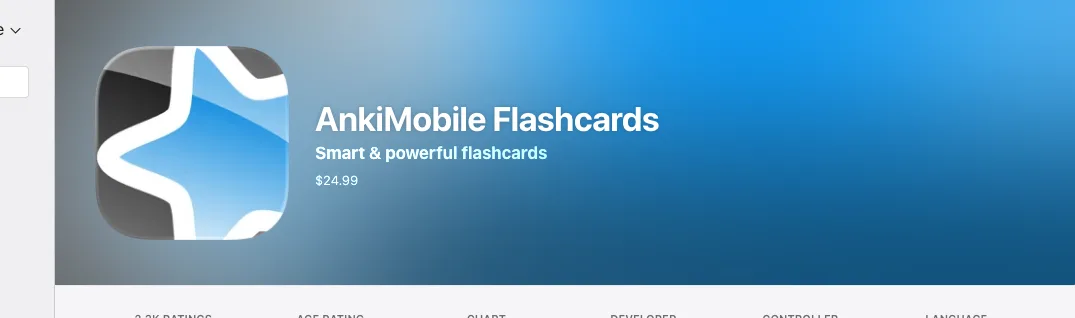
| AnkiMobile | iPhone and iPad | $24.99, one time |
So "Anki" is free everywhere except iOS. There is no free version of AnkiMobile, no trial and no subscription: the listing shows a price and no in-app purchases.
Why the iPhone app costs $24.99
It is a deliberate choice, and the developer says so on the listing:
"Sales of this app support the development of both the computer and mobile version, which is why the app is priced as a computer application."
Anki's own FAQ adds that AnkiMobile "is not a standalone app". It pays for the free desktop program and for AnkiWeb, whose terms say hosting costs "are supported by sales of the iPhone app". If you plan to keep using desktop Anki, the $24.99 funds the tools you already use.
Do you pay again for iPad?
No. AnkiMobile is a universal app, so one purchase runs on iPhone and iPad. The listing says it "can be purchased once and then used on multiple devices in a household using the same Apple ID", and Family Sharing is supported. An older Anki FAQ entry mentions a limit of five iOS devices; the current listing and manual just say "multiple devices".
Free option 1: AnkiWeb in Safari
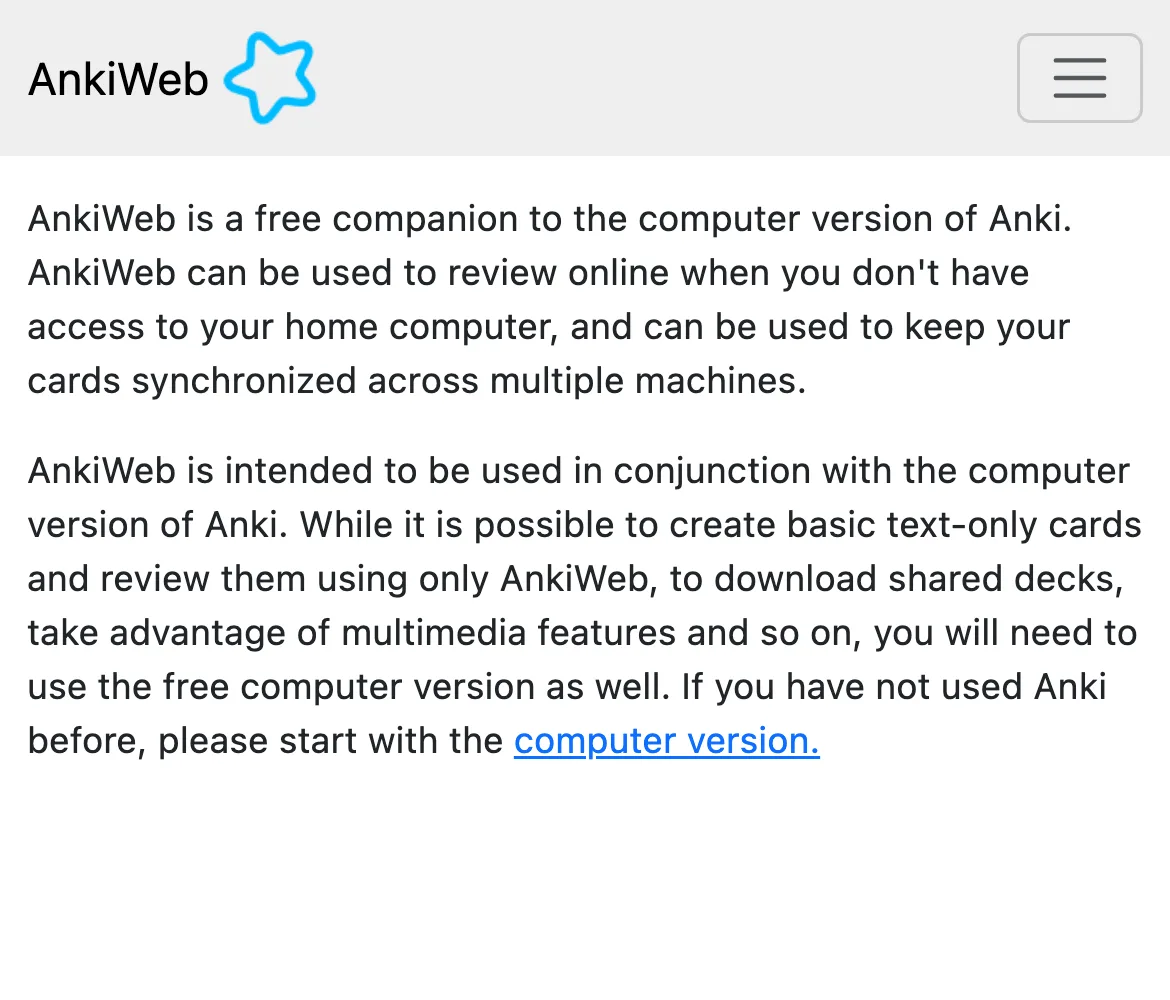
AnkiWeb is Anki's sync service, and it also lets you review in a browser. It costs nothing and works on an iPhone or iPad without installing anything. What you give up:
- You have to be online. Anki describes AnkiWeb as a way "to review online". Offline study means an app.
- You can't import a shared deck in the browser. The manual says it's "not currently possible to add shared decks directly to your AnkiWeb account". You import the
.apkgin desktop Anki, AnkiMobile or AnkiDroid, then sync. - It's for basic cards. You can create "basic text-only cards" on AnkiWeb alone; multimedia features need the desktop app, and type-in-the-answer boxes don't appear.
- Idle accounts get cleared. If you haven't accessed your account or synced in six months, the data stored on AnkiWeb can be deleted. You get an email first and 30 days to log in. Only the copy on AnkiWeb is removed, but if AnkiWeb was your only copy, that is your deck.
AnkiWeb is a good fit if you keep desktop Anki as your main tool and only need to fit in reviews on your phone while you have signal.
Free option 2: an app with a free plan that opens .apkg
Several iPhone apps import Anki packages. They are not part of Anki: Anki's FAQ specifically warns that AnkiApp (now AlgoApp) and Anki Pro (now Noji) "were developed by separate groups of people". That doesn't make them bad, but it does mean their free plans follow their own business models. Here is what each one allows before you pay.
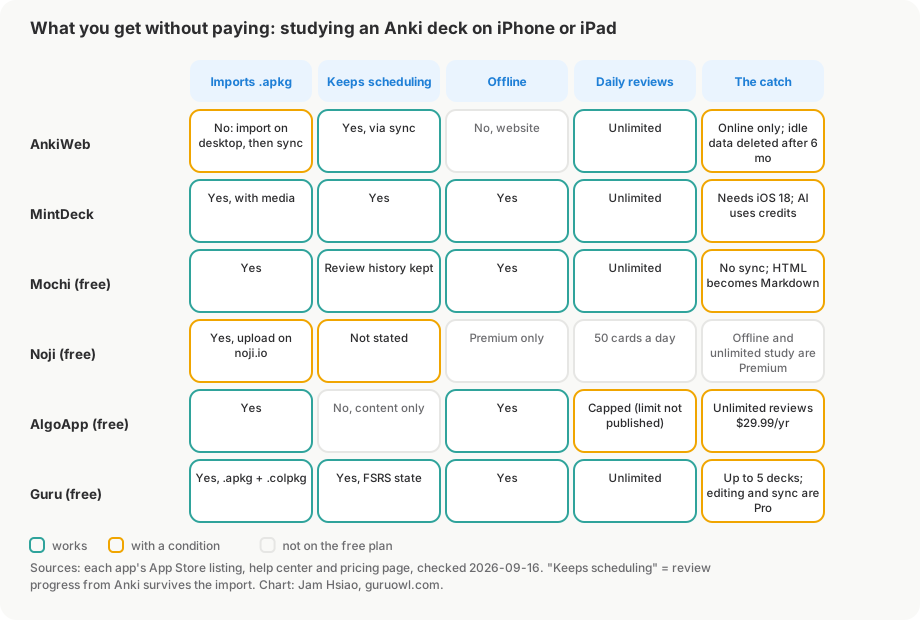
| Free plan | Imports .apkg | Keeps review progress | Offline | Daily reviews | Main limit |
|---|---|---|---|---|---|
| AnkiWeb | No: import on desktop, then sync | Yes, via sync | No | Unlimited | Online only; idle data deleted after 6 months |
| MintDeck | Yes, with media | Yes | Yes | Unlimited | Requires iOS 18; AI uses credits |
| Mochi | Yes | Yes (review history) | Yes | Unlimited | No sync; HTML converted to Markdown |
| Noji | Yes, upload at noji.io | Not stated | Premium only | 50 cards a day | Offline and unlimited study need Premium |
| AlgoApp | Yes | No, card content only | Yes | Capped (limit not published) | Unlimited reviews cost $29.99 a year |
| Guru | Yes, .apkg and .colpkg | Yes, FSRS state | Yes | Unlimited | Up to 5 decks; editing and sync are Pro |
MintDeck is the most generous right now. Studying, your own cards and Anki imports "cost nothing", with scheduling data and media preserved; only AI generation uses credits ($2.99 or $4.99 in-app). The catch is compatibility: it needs iOS 18 or later.
Mochi is free forever with no sign-up: unlimited offline use, unlimited cards and decks, import and export. It imports .apkg files "including review history", but it strips CSS and JavaScript and converts HTML to Markdown, so heavily styled decks like AnKing will look different. Sync between devices needs Pro, $5 a month billed yearly.
Noji has a free version you can use indefinitely, but free accounts study 50 cards a day and offline learning is listed as a Premium feature. Its help center has you upload Anki files at noji.io.
AlgoApp imports .apkg files and works offline, but its help center is explicit: "Card content imports, but Anki review history and scheduling data do not." Every card starts over. Unlimited daily reviews need AlgoApp Unlimited at $29.99 a year.
Guru is our app, so weigh this paragraph accordingly. It imports .apkg and .colpkg files through Anki's own import engine, keeps FSRS scheduling state, and reviews offline. The free plan covers importing and daily review for up to 5 decks (a whole deck tree such as AnKing counts as one). Pro removes the deck limit and adds card editing, sync with the GuruOwl website and Study Lock: $4.99 a month with a 3-day trial for new subscribers, $39.99 a year, or $24.99 once for Lifetime. Every deck exports back to a standard .apkg.
What importing and reviewing looks like
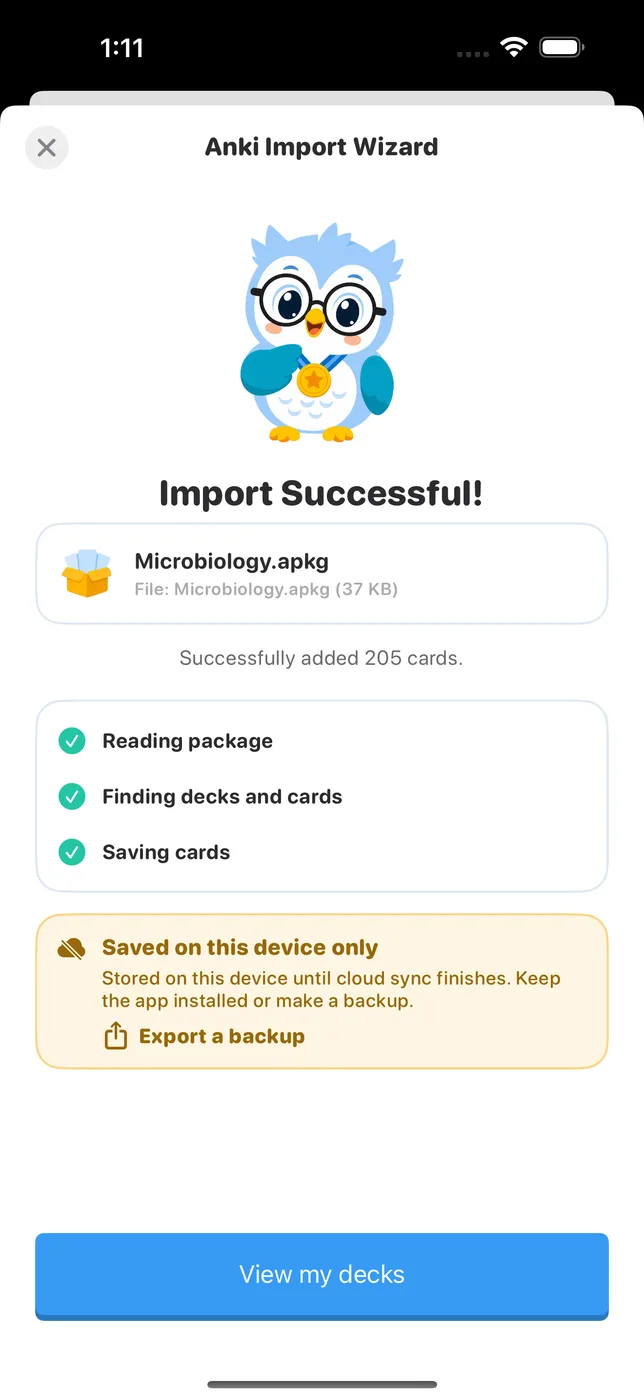
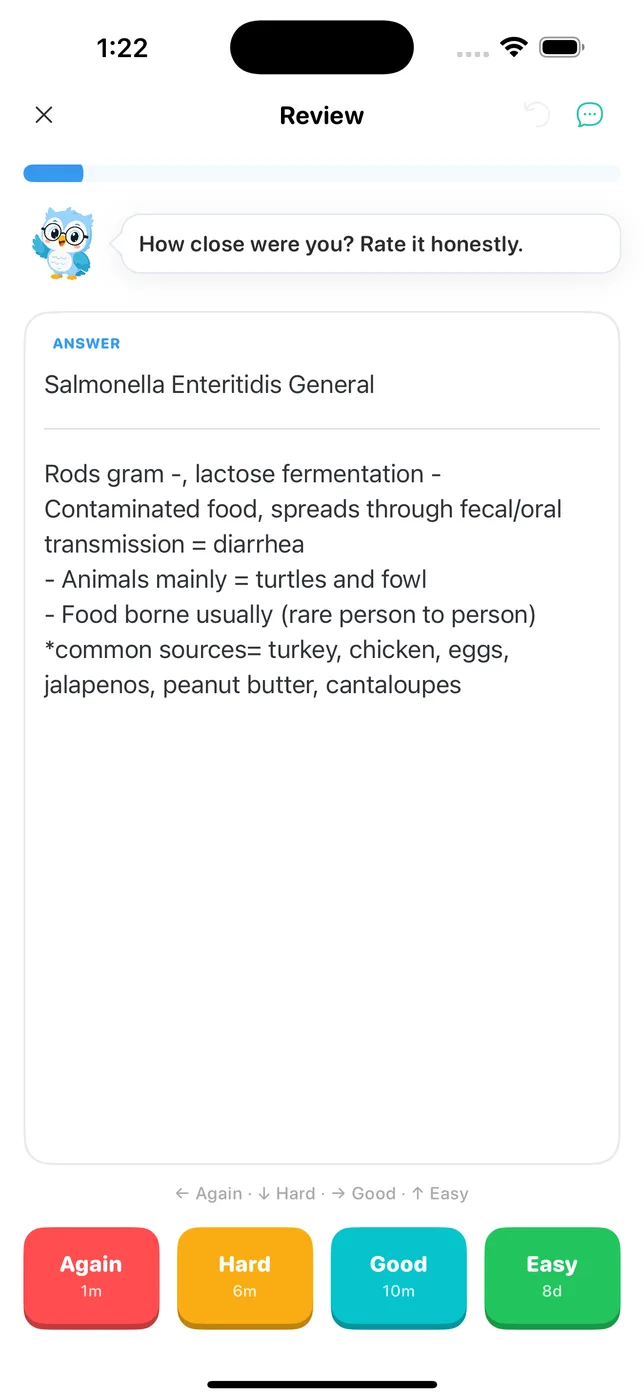
I imported a shared 205-card Microbiology deck into Guru's current build on an iPhone 16 Pro Max simulator, then started a session. The import finished within about ten seconds, and the first card showed its FSRS intervals on the rating buttons.
What it costs if you stop using the free plan
Free plans change, and a big deck can outgrow one. This is the cheapest way to unlock each app's full feature set for three years at current prices:
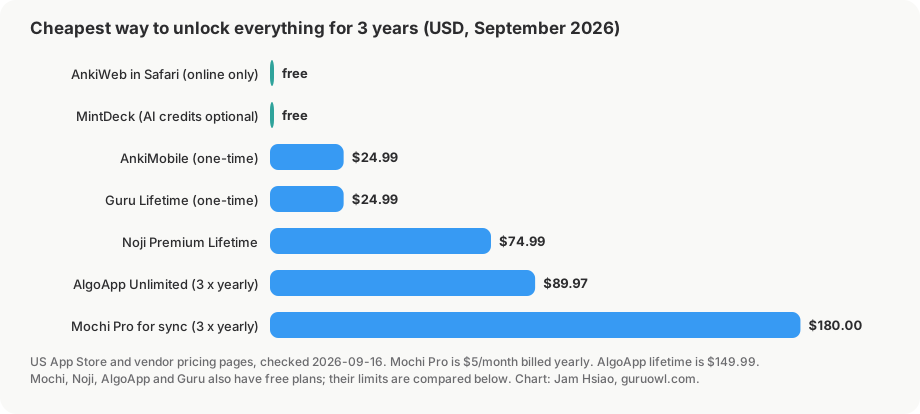
Two one-time purchases tie at $24.99: AnkiMobile and Guru Lifetime. Subscriptions add up: Mochi Pro for sync is $180 over three years, and AlgoApp Unlimited is $89.97 on the yearly plan (its lifetime option is $149.99).
Which one should you choose?
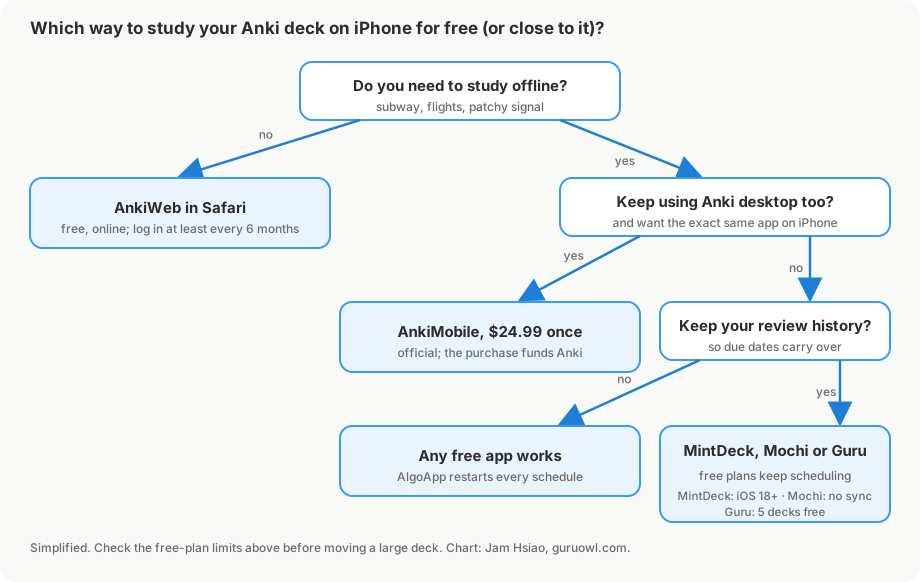
- You mostly study at a computer and just want reviews on your phone now and then: AnkiWeb, and log in at least once every six months.
- You'll keep using desktop Anki and want the phone app to behave exactly like it, add-on templates included: AnkiMobile. It's $24.99 once and supports the project.
- You want to leave the desktop behind and study on your phone, free: MintDeck if you're on iOS 18, Mochi if plain Markdown cards are fine, Guru if your decks fit in five and you want FSRS with Anki-faithful rendering. For moving the files, see how to import Anki decks on iPhone. For a feature-by-feature comparison, see Anki alternatives for iPhone.
FAQ
Is Anki free on iPad? Not the official app. AnkiMobile costs $24.99 and the same purchase covers iPhone and iPad. AnkiWeb is free in the iPad browser, and the free plans of MintDeck, Mochi, Noji, AlgoApp and Guru all run on iPad. (For more iPad details, see our Anki on iPad guide).
Does AnkiMobile have a free trial? No. The App Store listing shows a one-time price and no in-app purchases, so there is no trial tier. Refund requests go through Apple.
Is AnkiWeb free forever? Anki's terms say use of the service "is currently free", funded by AnkiMobile sales. Data on accounts that haven't been accessed or synced in six months can be deleted, so log in or sync occasionally.
Will my review progress survive a move to a free app? It depends on the app. MintDeck, Mochi (review history) and Guru (FSRS state) say they keep it. AlgoApp imports card content only. Noji doesn't state it for Anki uploads. Import a small deck first and check a few due dates before moving everything.
Can I study Anki offline on iPhone for free? Yes, with an app: MintDeck, Mochi, AlgoApp and Guru review offline on their free plans. AnkiWeb is online only, and Noji lists offline study as Premium.
Is AnkiApp or AlgoApp the same as Anki? No. Anki's FAQ says AnkiApp (now AlgoApp) and Anki Pro (now Noji) were built by separate groups and aren't related to Anki. They can import Anki decks, but they don't fund Anki.
Sources
- AnkiMobile App Store listing, price and description: apps.apple.com
- Why AnkiMobile costs more: faqs.ankiweb.net
- AnkiWeb about page and terms: ankiweb.net/about, ankiweb.net/account/terms
- AnkiWeb data deletion: docs.ankiweb.net
- Shared decks can't be added directly to AnkiWeb: docs.ankiweb.net
- Apps that aren't part of Anki: faqs.ankiweb.net
- MintDeck: mintdeck.app and App Store
- Mochi: pricing and importing
- Noji: Premium features and Anki upload
- AlgoApp: Anki import and pricing
Bring your Anki decks to iPhone
Guru imports .apkg files with FSRS scheduling intact and reviews offline. Import and daily review are free for up to 5 decks.
Get Guru