
Anki Remote Not Connecting? Every Fix, Ordered by How Often It's the Cause
This page covers the StudyRemote Anki Remote 2 Pro and 2.0 (the product formerly sold at ankiremote.com) and, at the end, the 8BitDo Zero 2 and Micro, because their failures look identical from the outside. Sources are the vendor's troubleshooting and setup pages and Anki-forum threads, fetched on 2026-09-07; I own the 8BitDo pads and tested those steps myself, but not the StudyRemote hardware. If you first want to know what the remote is and whether to buy one, that is in the Anki Remote guide.
Step 0: read the LED
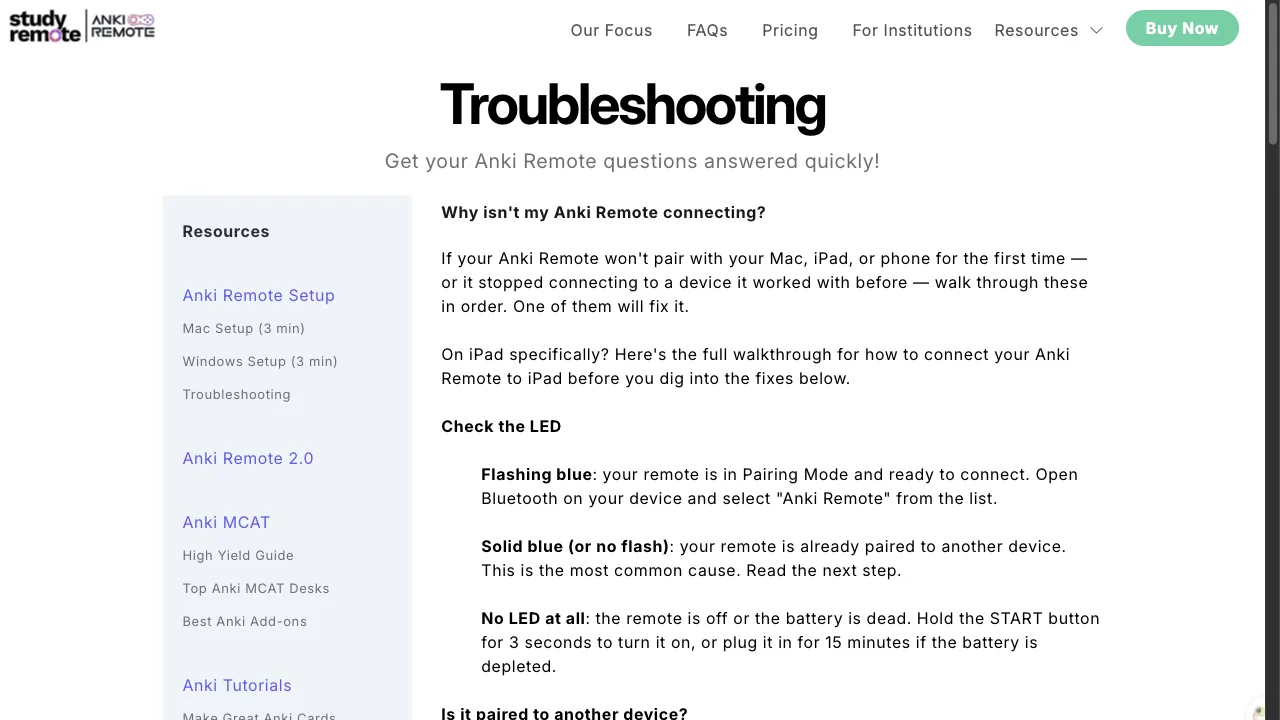
Everything starts with the light, because the vendor's own support process starts by asking what it is doing.
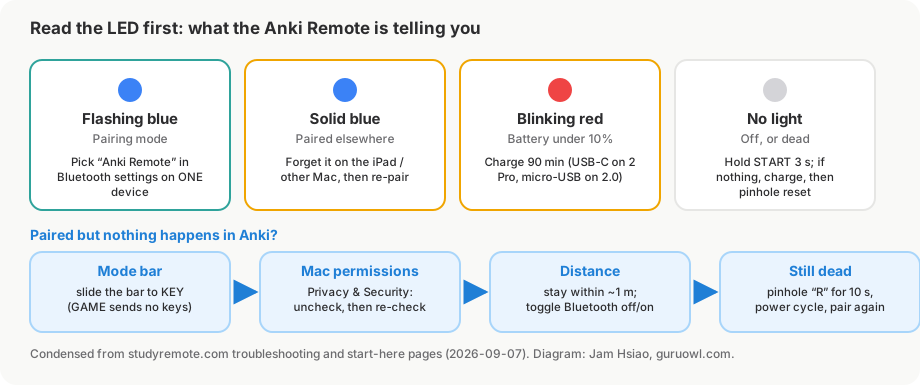
- Flashing blue, about once a second: pairing mode. It is waiting for one device to claim it. If nothing shows up in your Bluetooth list, move on to Step 2.
- Solid blue: already connected to something else. This is the most common "not connecting" report and the fix is Step 1.
- Blinking red: under 10% battery. Charge it; a 90-minute charge is the vendor's figure for a full day of use.
- Purple blinking: pairing mode plus low battery. Charge first, then pair.
- Solid or slow-blinking red: charging. Normal.
- No light while it is working: also normal. The LED only reports state changes.
- No light at all: off, or flat. Hold START for about 3 seconds; if nothing, charge it, then try the reset in Step 5.
Step 1: forget it on the other device
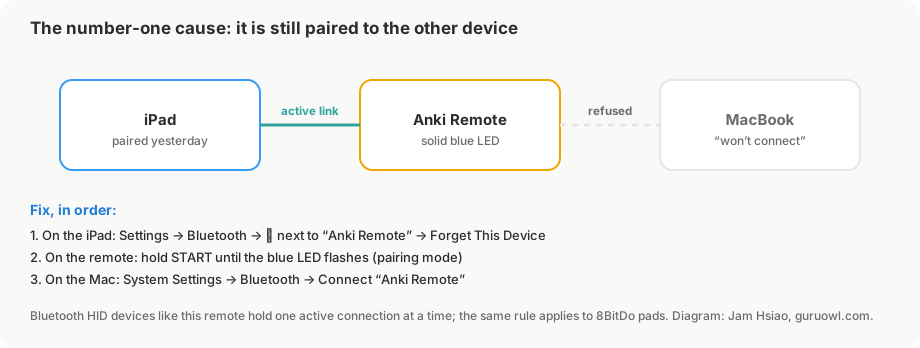
The Anki Remote is a Bluetooth keyboard, and Bluetooth keyboards hold one active connection. If you paired it with an iPad last week and now want it on the Mac, the Mac never sees it in pairing mode because it reconnects to the iPad the moment it powers on. The vendor's troubleshooting page puts this first, and so do I.
- On the device it last worked with: open Bluetooth settings, find "Anki Remote", and choose Forget This Device (iPad/iPhone: tap ⓘ next to the name; Mac: right-click → Forget; Windows: Remove device).
- On the remote: hold START until the blue LED flashes twice (their Mac and Windows guides say three times), then keeps flashing every second.
- On the new device: Bluetooth settings → "Anki Remote" → Connect.
If you switch between two devices daily, expect to repeat this every time. That is a Bluetooth limitation, not a defect.
Step 2: check the mode bar (KEY, not GAME)
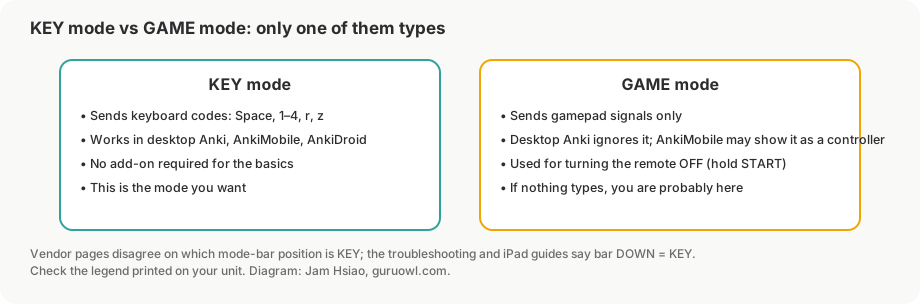
The remote has a physical mode bar. In KEY mode it behaves as a keyboard and sends Space and 1–4, which is what desktop Anki, AnkiMobile and AnkiDroid all understand. In GAME mode it sends controller signals that desktop Anki ignores, so the symptom is "it pairs fine and does nothing". The vendor's troubleshooting page says it directly: if the bar is up, "your remote isn't sending keyboard-compatible signals ... slide it down to Key Mode and try again". Their start-here page describes the bar positions the other way around, so trust the legend printed on your unit rather than either page.
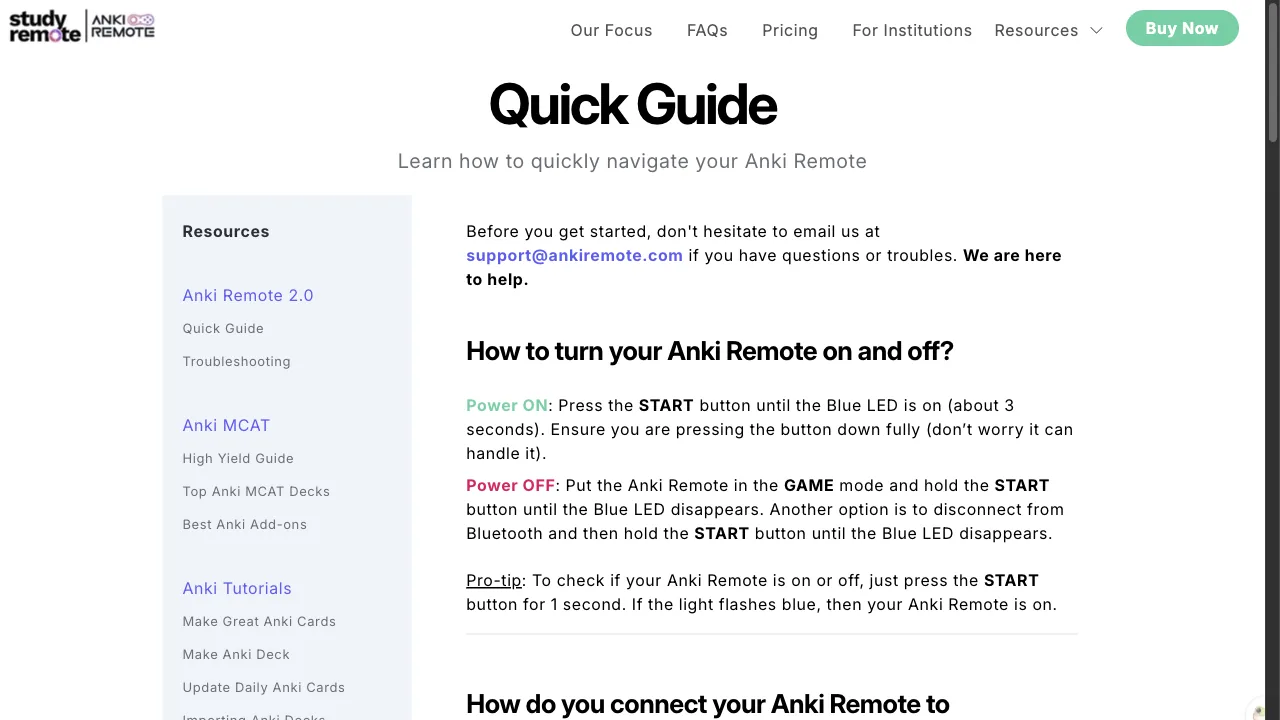
GAME mode has one legitimate use: it is how you turn the remote off (hold START in GAME mode until the blue LED goes out). Which means the failure sequence "I turned it off yesterday and today it won't type" is very often "I left it in GAME mode".
Step 3: macOS permissions
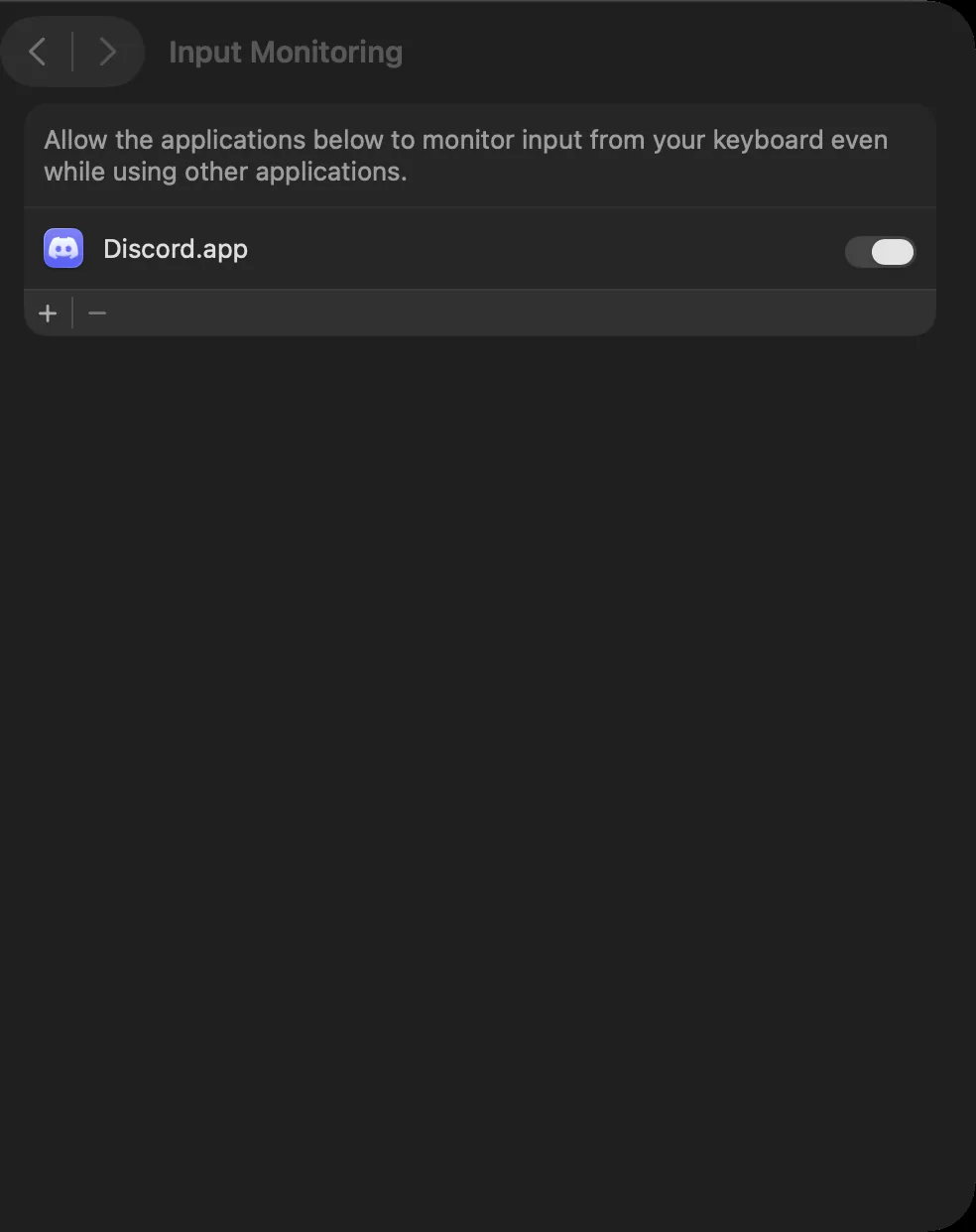
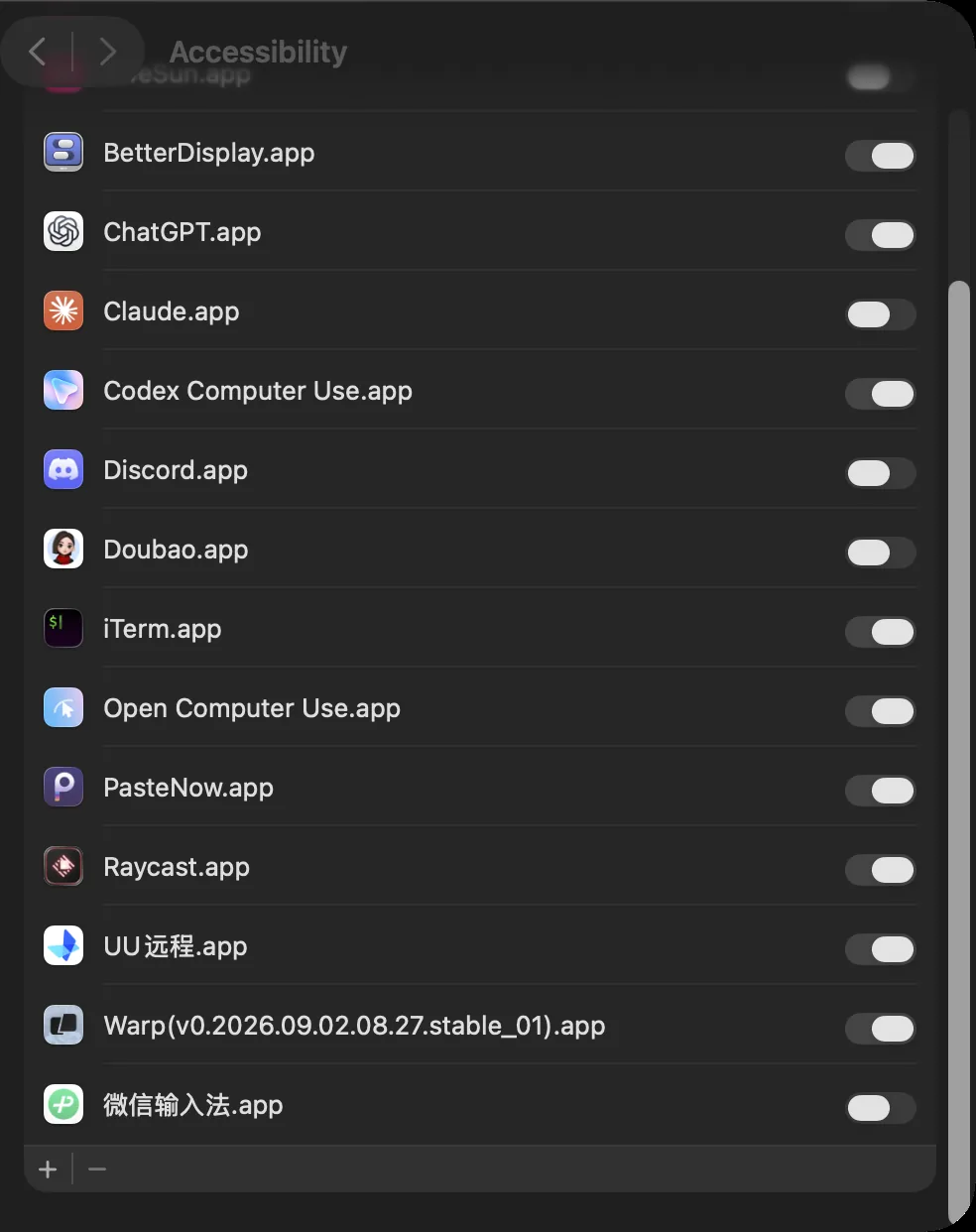
A plain Bluetooth keyboard needs no permissions on macOS, and the 2 Pro is marketed as exactly that: "no drivers, no third-party software". Two situations still involve Privacy & Security:
- You followed the older Mac guide, which installs Karabiner-Elements and asks you to enable
karabiner_grabberandkarabiner_observerunder Input Monitoring, plus Accessibility. Those toggles silently reset after some macOS updates. The vendor's advice: "uncheck then re-check the permissions manually". - Anki itself was denied something. Rare, but if Anki asked for a permission at first launch and you clicked Don't Allow, the remote's key presses can reach the system and not Anki. Same fix: toggle it off and on for Anki in the relevant list.
If you never installed Karabiner, skip this step entirely and do not install it to "fix" a 2 Pro; the current product does not need it.
Step 4: distance, interference and the obvious
- Stay within about a metre while pairing; the vendor says "3 feet or so".
- Toggle Bluetooth off and on from the menu bar (Mac) or Control Center (iPad).
- One device at a time: if the remote is also paired to your phone in your pocket, it may reconnect there first. Forget it on the phone.
- On Windows, the older guide runs an AutoHotkey script; if you used it, exit all previous AutoHotkey sessions before starting another, and re-run the script after a reboot.
- Lag rather than silence: unpair the remote, restart the computer, and pair from scratch, which is the vendor's fix for laggy input.
Step 5: the pinhole reset
On the back of the remote there is a small hole marked R. Insert a pin or paperclip and hold for 10 seconds, turn the remote off and on, then pair again from scratch (Step 1). This clears the stored pairing, which is why it fixes the "solid blue but the old device is gone" case where you cannot forget it on the original device because you no longer have it.
If it pairs and types, but the wrong things happen
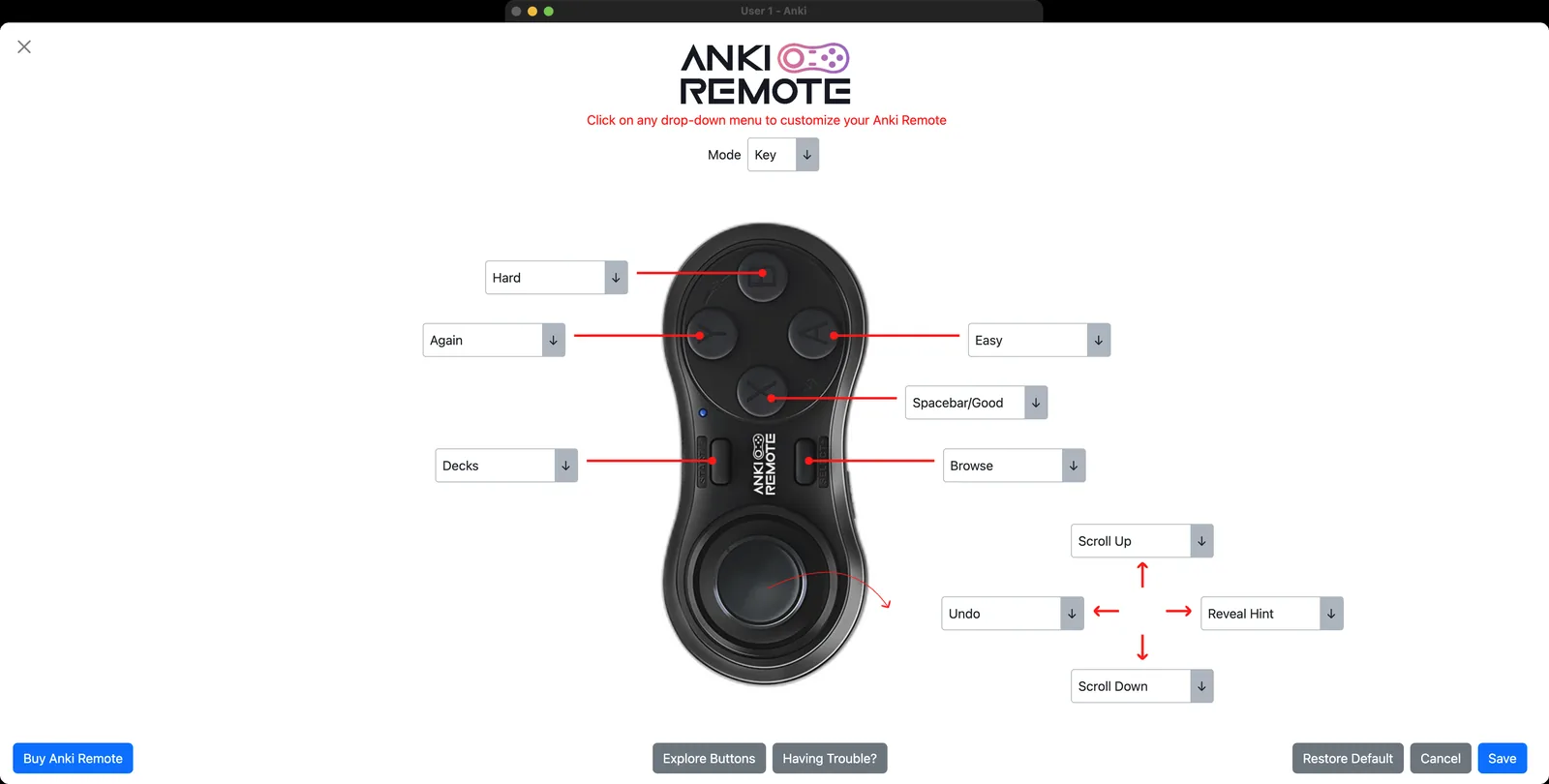
- Buttons do the wrong action on desktop: open the add-on (code 693153301, Tools → Add-ons) and check the mode dropdown at the top of its screen matches the physical bar; then remap.
- Joystick does nothing: by design. The joystick needs the add-on; without it only the buttons work.
- AnkiMobile mapping "reverts to default": one forum user hit this with the 2.0. The remote is a keyboard in KEY mode, so use it as one (Space, 1–4, r) and leave AnkiMobile's Gamepads screen alone.
- Undo does not work on iPad: AnkiMobile's undo shortcut is ⌘Z, not Z or U. A keyboard-mode device cannot send ⌘ on its own; the joystick's Undo is a desktop feature.
8BitDo Zero 2 or Micro not connecting to Anki
The 8BitDo failures are a different family: the pad connects fine, but in a mode the app cannot read. The message you see names the mode you are in.
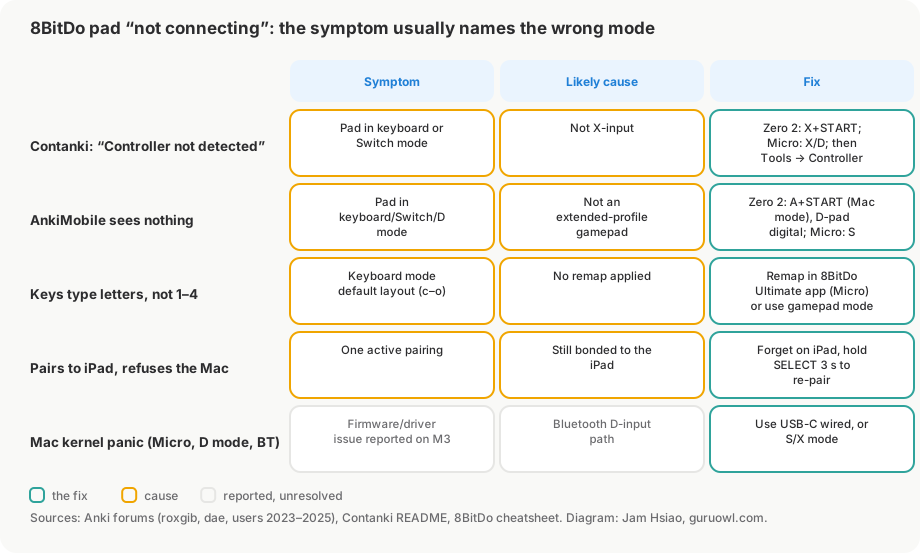
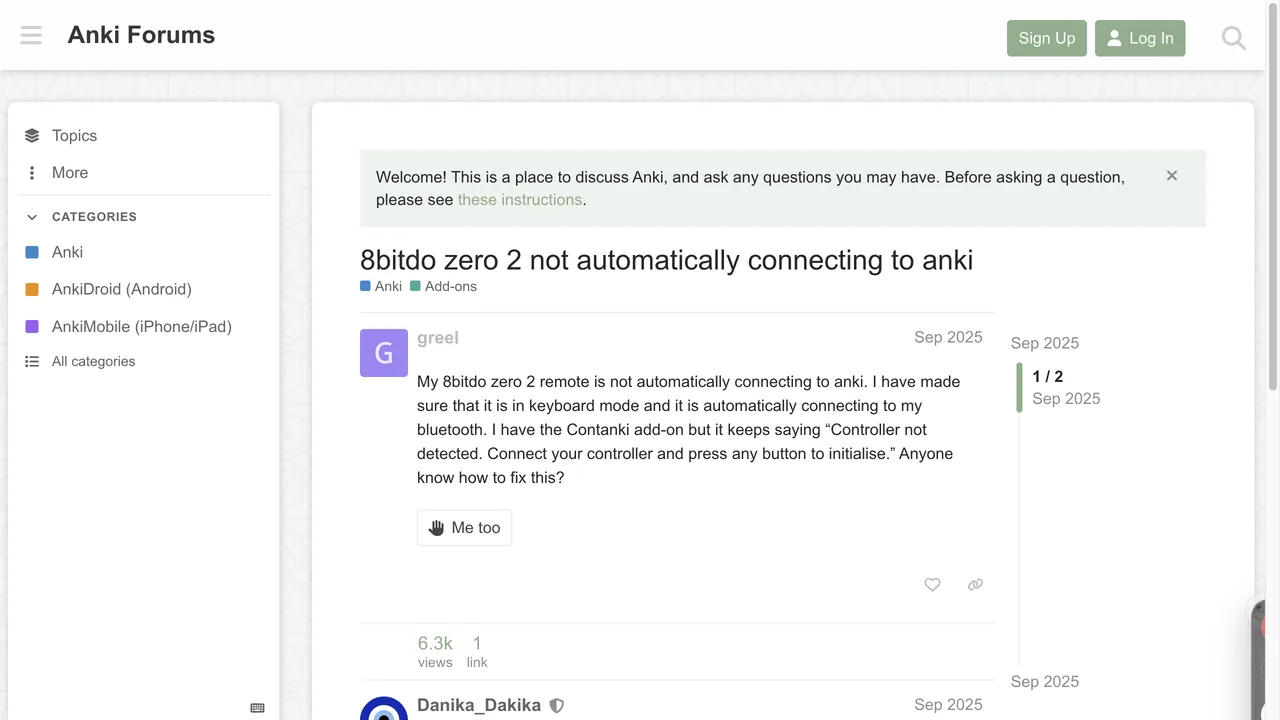
- Contanki says "Controller not detected. Connect your controller and press any button to initialise." The pad is in keyboard or Switch mode. Put a Zero 2 in X-input (hold X+START), a Micro in X or D, then Tools → Controller Options → Detect 8BitDo Controllers.
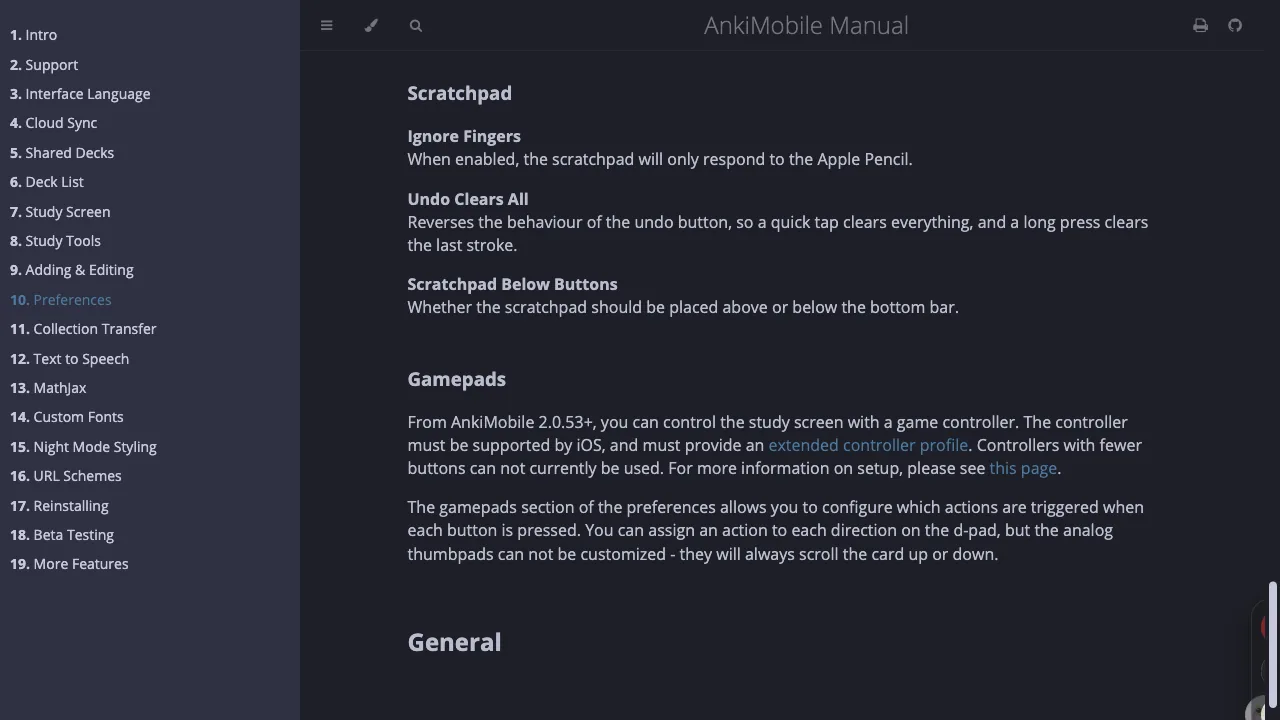
- AnkiMobile's Gamepads screen shows nothing. AnkiMobile only reads the extended controller profile with a digital D-pad. Zero 2: Mac mode (A+START) and set the D-pad to digital. Micro: S mode. In keyboard mode the pad is invisible to that screen, though AnkiMobile will still accept Space and 1–4 from it if the keys are remapped.
- It types letters instead of grading cards. Keyboard mode's default layout on the Zero 2 sends c–o, not 1–4. The Micro can be remapped in 8BitDo's Ultimate Software mobile app; the Zero 2 has no official remap tool, so use a gamepad mode instead.
- It pairs to the iPad but refuses the Mac. Same one-active-pairing rule as the StudyRemote: forget it on the iPad, hold SELECT about 3 seconds to re-enter pairing.
- Mac kernel panics with a Micro over Bluetooth. Reported on an M3 MacBook Air in D mode (Anki 25.07, firmware 1.05). The workaround in that thread was a USB-C cable instead of Bluetooth.
- It worked for weeks and stopped. One Zero 2 on Windows 11 died after three weeks and was replaced under warranty; nothing in Anki or Contanki fixes a failing radio.
If the pad is meant for desktop Anki and you own an iPhone, there is also a route that avoids every mode question on the Mac: pair the pad with the phone in gamepad mode and let Guru's free remote forward the buttons over Wi-Fi. Nothing gets installed or configured on the computer beyond the Anki add-on.
What to send support
StudyRemote's support address is support@ankiremote.com (the old domain still works for email). They ask for three things and say they usually diagnose within a day: your device model, the OS version, and what the LED is doing. Add which mode the bar is in and whether you tried the pinhole reset, and you will skip a round trip. Returns are 30 days unused; replacements for defects are 60 days.
FAQ
Why does my Anki Remote have a solid blue light and not show up in Bluetooth? Solid blue means it is already connected to another device. Forget it on that device (or do the pinhole reset if you no longer have it), then hold START to re-enter pairing.
How do I turn off the Anki Remote? Switch the mode bar to GAME, then hold START until the blue LED goes out. Switch back to KEY before your next session, or it will pair and do nothing.
How do I reset the Anki Remote? Paperclip into the pinhole marked R on the back, hold 10 seconds, power off and on, pair from scratch. This wipes the stored pairing.
Does the Anki Remote need Karabiner or AutoHotkey? The 2 Pro is sold as needing neither. The older setup guides that mention them are for the 2.0 or for custom layouts. If yours works as a plain keyboard, leave those tools uninstalled.
Why does my 8BitDo work with Contanki but not AnkiMobile? Different mode. Contanki wants X-input; AnkiMobile wants the extended gamepad profile (Zero 2: Mac mode with a digital D-pad; Micro: S mode). The pad only holds one mode at a time, so switch before you switch apps.
Can the remote be connected to two devices at once? No. One active connection, on the StudyRemote and on the 8BitDo pads alike.
Skip Bluetooth entirely
Guru turns the iPhone you already own into the clicker for desktop Anki over Wi-Fi: QR-code pairing, no mode bars, no permissions to toggle, and it forwards a cheap 8BitDo pad too.
Set up the iPhone remote